
How to Prepare AI-Generated Music for a Mixing Engineer
Prepare AI music for mixing with aligned WAV stems, sensible headroom, raw and cleaned versions, clear filenames, and timestamped session notes.
Compare a cleanup pass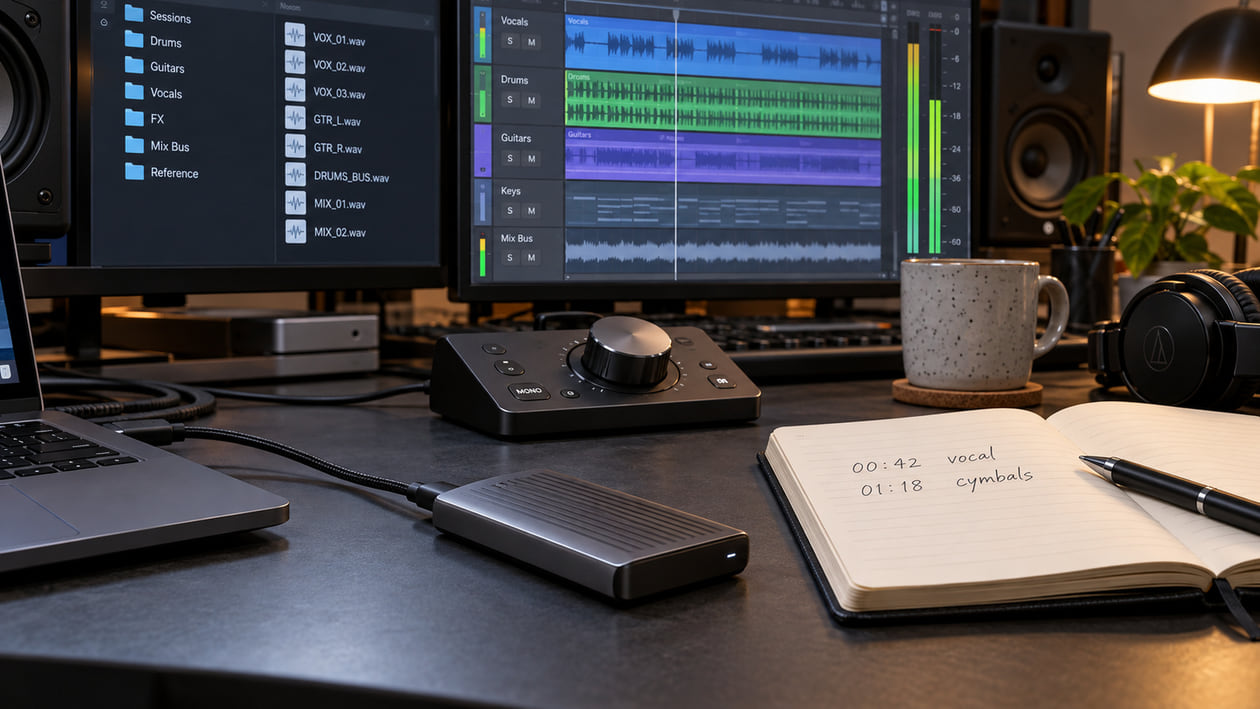
To hand off AI-generated music to a mixing engineer, prepare 24-bit WAV files at the original sample rate, consolidated from bar 1 (00:00.000) through a shared ending. Keep peaks below clipping; around -6 dBFS to -3 dBFS is a useful starting range when no other specification is supplied. Bypass loudness-only master processing and include three folders: a rough reference mix, untouched generator exports, and optional pre-cleaned passes. Add BPM, key if known, and artifact timestamps in a session notes file. Your engineer’s delivery specification takes priority.
The aim is a package that opens with the song already in time and the creative decisions easy to understand. Your mixer should be able to hear what you love about the track, identify the problems, and choose the right source without guessing which file is current. Ask whether the booking covers source repair as well as mixing before you send anything.
Why mixing engineers reject raw AI exports
An untouched export is valuable. An unexplained export is harder to work with. A lossy MP3 as the only source, a stereo mix pushed against 0 dBFS, and stems trimmed to different starting points leave the engineer with avoidable questions. None of these automatically makes your song unusable, but each can limit the work or require a revised delivery.
AI sources add a second set of decisions. A metallic shimmer can sit behind the vocal; bleed can carry a faint vocal into an instrument stem; a section replacement can change the groove at a join. Describe the sound and its time rather than diagnosing the generator. “The consonant breaks up at 00:42” gives the engineer a place to listen. “Please make it professional” does not.
Before paying for a mix, agree on the source set. Individual tracks give more control than a few grouped stems, and separated stems are not the same as original recordings. If all you have is a stereo file, say so. A stereo cleanup or mastering service has a different scope from mixing separate vocals, drums, bass, and instruments. Preparing the archive can reduce administrative back-and-forth; it does not guarantee a particular saving in studio time.
File format, sample rate, and bar-one alignment rules
Use uncompressed WAV at the session’s native sample rate, commonly 44.1 kHz or 48 kHz. Ask for 24-bit PCM, or 32-bit float if the engineer accepts it. PCM stores fixed-point samples; float is another WAV encoding with a different numerical range. They are not interchangeable labels. Keep the original download, and avoid repeated conversions between delivery formats.
Converting an MP3 to WAV does not recover information discarded during lossy encoding. Upsampling a 44.1 kHz file to 96 kHz does not add the missing musical detail either. If a generator only provides a compressed source, preserve it and tell the engineer what it is. Do not advertise the converted file as a higher-resolution original.
For Suno Studio 2.0, the current export documentation distinguishes Full Song, the complete stereo mix, from Multitrack, the separate project tracks. These are separate export choices: Full Song does not itself create a stem package. Save both the stereo reference and the Multitrack files from the same project version. A Selected Time Range export covers only your chosen passage.
The receiving DAW, or digital audio workstation, needs a common origin. Treat bar one as the agreed session start; in this example that is 00:00.000. Some sessions have a different timecode offset, so write yours down. Preserve leading silence before a late-entering instrument and trailing silence through the agreed song ending, including reverb decay. Do not trim every stem to its first note.
Use this alignment check before delivery:
- Import the downloaded tracks into an empty session at the shared origin. Disable automatic tempo warping, normalization, and unintended pitch changes.
- Listen at the beginning, middle, and end with the stereo reference muted while the stems play. Confirm that no file is missing or doubled.
- Place a range export at its original timeline position. Check both joins and any crossfades after a Replace Section edit.
- Consolidate or render every delivery track from the same start through the same ending. Consolidation writes the silent gaps and edits into a continuous file.
- Reimport those renders into another empty session and repeat the listening check. A tidy working session does not prove that the exported files line up.
Abbey Road’s submission requirements support a shared start, matching file duration and format, and reimporting the delivery for verification. They do not establish that every generator export is automatically correct. If the tempo drifts, do not force the whole song onto a guessed grid: note the drift and ask whether a tempo map is needed. The Suno stem cleanup guide covers separation and import problems in more detail.
Gain staging, headroom, and what to bypass before export
Headroom is the margin between the highest peak and digital clipping. It leaves space for the engineer to work without overloading a fixed-point export. Aim for unclipped delivery first. Peaks around -6 dBFS to -3 dBFS are a practical starting range, not a universal pass/fail rule for every stem or a loudness target for release.
Do not normalize each stem independently to that range. A quiet pad should not become as loud as the lead just to satisfy a number. Preserve the intended relative balance, apply a common gain reduction when needed, and check the combined output as well as individual files. Turning down a clipped original only makes its distortion quieter; it does not undo the clipping.
Bypass brickwall limiters added only for loudness, export normalization, and unnecessary stereo wideners on the master bus. A limiter can flatten drum attacks; widening can change how the center holds together in mono. Crest factor is the difference between peaks and average level: reducing everything to a dense, flat waveform can remove useful punch. Gain reduction alone does not restore that punch after it has been flattened.
Also review aggressive de-essing and bus compression. De-essing lowers sharp vocal consonants, but too much can blur the lyric. If an effect defines the sound you want, preserve an effects-on rough reference and discuss a printed alternative. Do not strip a deliberate delay or vocal effect from the only reference and expect the engineer to reconstruct your intention.
You cannot bypass processing already baked into a generator’s download. Label that source honestly and provide the best available alternative. Ableton’s export manual explains render settings such as sample rate, bit depth, and normalization; check equivalent settings in your own DAW before printing files.
Why you should include both raw exports and pre-cleaned passes
The raw folder preserves a way back. The cleaned folder offers an alternative when a repeatable shimmer, fizzy upper-mid layer, click, or exposed vocal spill remains distracting. Keep the same start, duration, and naming across corresponding files. Write down what changed. The engineer can then compare without rebuilding your timeline.
Start manually with the smallest useful repair: a short fade at a click, lower clip gain on an exposed noise, or a restrained cut for one stable resonance. Listen in the whole song after every change. Stop when consonants become less clear, drums lose their attack, or the atmosphere disappears. A soloed stem does not need to sound completely isolated to work in a mix.
I founded Sunofix to help with the synthetic edge that remains in an otherwise useful song. A cleanup pass can reduce metallic texture or harsh highs, but it cannot restore missing words or instruments, improve the separation itself, or replace the engineer’s balance decisions. Keep a processed WAV as a labeled alternative and compare it with the original at matched listening loudness.
My priority here is preserving your choices: the melody, lyric, arrangement, and energy should still lead the song. That is why the cleaned pass belongs beside the raw source, rather than overwriting it. Independently processed stems may sum differently, so check their timing and combined sound again after cleanup.
If an artifact spans the entire stereo mix, compare source cleanup before separation with treatment of one affected stem afterward. Avoid processing every file by default. The before-or-after stem separation guide helps you choose the stage that matches the audible problem.
Compare a cleanup pass when the performance works and the remaining problem is a distracting synthetic texture. Include the original so your engineer can choose the better version.
How to structure the three-folder handoff package
Create one versioned parent folder, such as SongTitle_MixDelivery_v03_2026-10-22. Inside it, use the three folders below and place README_Session_Notes.txt at the top level. The filenames are examples, not a claim about a particular generator’s export format. Keep any untouched downloaded archive as well as the consolidated delivery copies, clearly distinguished in the raw folder.
| Folder or file | Example filename | What the engineer needs |
|---|---|---|
01_Reference_Mix |
Song_v03_ROUGH_REFERENCE.wav |
The full song you approved, including creative effects; never label a loud reference as a dry source |
02_Raw_Stems |
Song_v03_01_LeadVocal_RAW.wav |
Untreated source tracks rendered to the common start and end; retain original downloads in a labeled subfolder |
03_Cleaned_Passes |
Song_v03_01_LeadVocal_CLEAN_v01.wav |
Optional alternatives with matching timing and notes about treatment |
README_Session_Notes.txt |
One plain text file | Technical settings, creative priorities, source provenance, and problem timestamps |
Use the same track number and part name for a raw/clean pair. Mark stereo files clearly, keep useful original names in your notes, and avoid labels such as final_final2. The reference mix is for comparison: it normally stays muted while the stems play. Raw and cleaned alternatives should not play together either, unless a deliberate blend has been agreed.
Your notes should answer these questions:
- Which song version, generator, project, and export date produced these files? This applies equally to available exports from Suno, Udio, Treblo, or ElevenLabs; their download options need not be identical.
- What sample rate, bit depth, shared start, and final duration did you deliver?
- What are the BPM, time signature, and key? Mark estimates, variable tempo, and key changes explicitly.
- Which rough mix captures the intended balance? Which effects or arrangement details must stay?
- Where are the audible problems, measured from the delivered file start? For example,
00:42–00:45 lead vocal: metallic edge on sustained vowel. - Where did you use Replace Section or another patch? Note a click, shifted beat, or missing tail at either join.
- What processing appears in each cleaned pass, and which raw file is its counterpart?
- What is the agreed scope: mixing, optional repair, replacement recording, or mastering? Include the contact and delivery requirements already agreed with your engineer.
Describe a severe vocal problem before booking extensive repair. EQ can change tone; it cannot reliably recreate a missing syllable or a natural performance. The right next step may be regeneration or a replacement vocal, with a guide to communicate the intended phrasing. Keep those performance decisions separate from routine mix preparation.
Finally, open the actual delivery archive, check its file count, and listen to the reconstructed song from start to finish. Confirm the opening silence, last reverb tail, version names, and access to the shared folder. Keep your local originals. Once the engineer has a stable source set, use the release-ready checklist for the later mix, mastering, rights, and distribution steps. A well-prepared handoff gives the mixer clear choices; it does not guarantee platform approval or turn source repair into a finished master.
Continue listening
Related reading
FAQ
How to Prepare AI-Generated Music for a Mixing Engineer FAQ
What bit depth and headroom should I use when sending AI stems to a mixing engineer?
Ask for the engineer’s delivery specification first. A practical starting point is 24-bit WAV at the original session sample rate, with peaks around -6 dBFS to -3 dBFS and no clipping. Send 32-bit float only if accepted. Keep stem balances intact; lowering an already clipped file does not repair distortion.
Should I send raw Suno stems or cleaned stems to my mixer?
Send the untouched stems and, when useful, separately labeled cleaned alternatives with the same start time. Describe the treatment and let the engineer choose. Do not play both versions together or replace the only original with a processed copy.
How do I keep Suno Studio 2.0 stems lined up on a DAW grid?
Use Multitrack for separate tracks and Full Song for a stereo reference. Import without automatic warping, place the files at their shared start, and check the beginning, middle, and end. Consolidate every delivery file from bar one through the same ending, preserving silence and tails. Position a Selected Time Range patch at its original time before consolidating.
What should go into the session notes file for an AI-generated track?
Include the song version, generator and export date, sample rate, bit depth, shared start and duration, BPM and time signature, key if known, reference mix, processing notes, and timestamps for audible problems. Mark an estimated tempo or key as an estimate and describe any drift or section edits.
Can a mixing engineer fix severe AI vocal robotics without a re-recorded guide vocal?
An engineer may soften harsh texture or edit a local glitch, but cannot reliably reconstruct missing words, notes, or a natural performance from a damaged stem. Discuss regeneration, a replacement performance, or a clearly labeled guide before booking extensive repair work.