
Should You Clean AI Music Before Stem Separation or After?
Choose full-mix cleanup, stem repair, or a hybrid workflow. Compare both separation paths, preserve drum attacks, and check the stem sum before mastering.
Compare cleanup on your track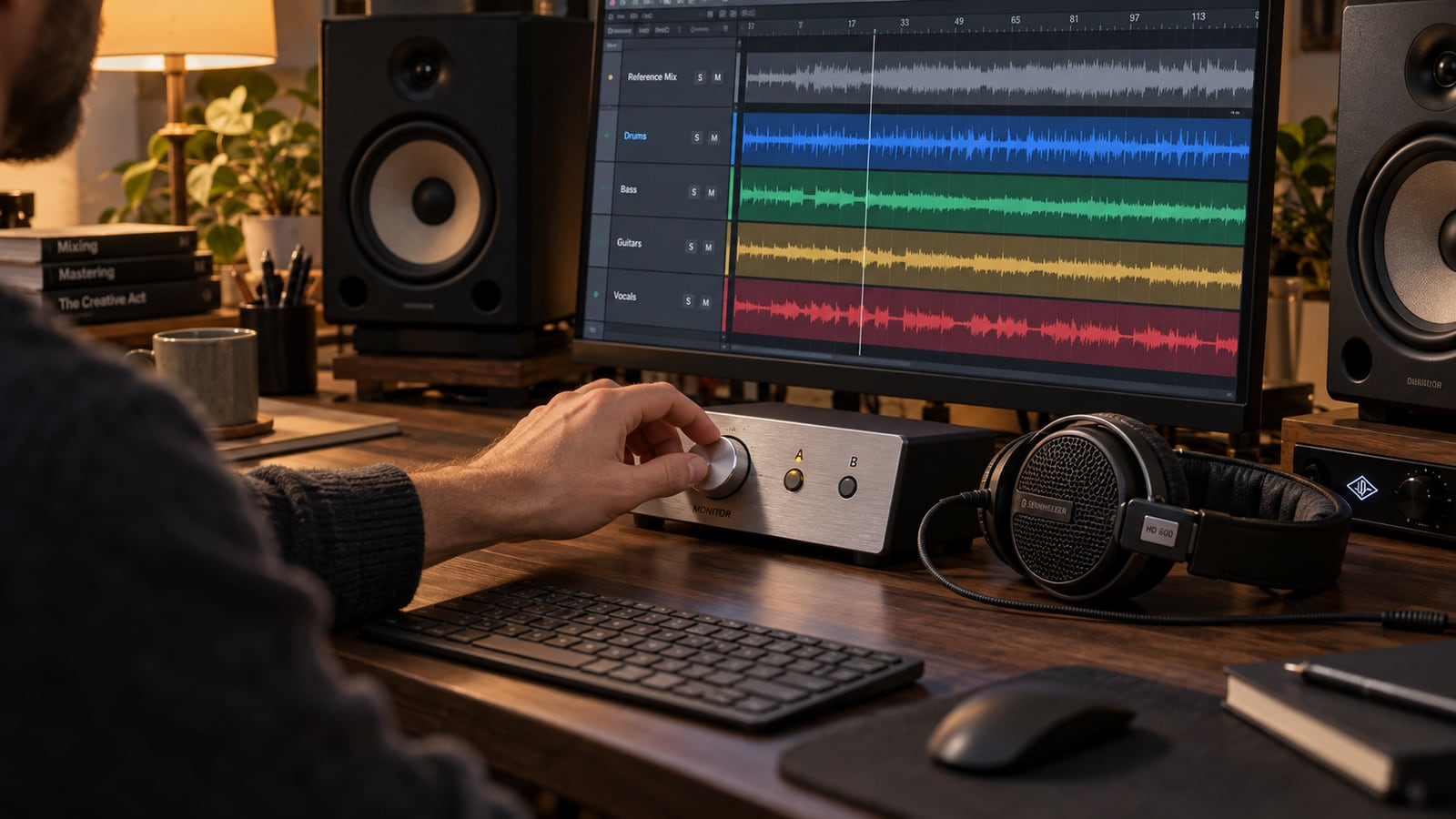
If you have only a stereo AI export, test a gentle full-mix cleanup before stem separation when hiss or metallic fizz distracts across the song. Compare it with a split of the untouched export: cleanup does not guarantee less bleed. If you already have usable separate tracks, inspect and clean those individual stems first, then check their combined mix before mastering.
The useful question is where the defect lives. A constant noise layer across the whole export needs a different decision from a harsh vocal consonant or a click on one bass note. Keep the untouched export and use the smallest change that improves the song when all parts play together. You do not need to make every isolated file sound pristine.
Why workflow order changes separation artifacts
Stem separation estimates individual parts from a combined recording. A stem is a file containing a vocal, drum part, bass, or another group of sounds; it can still contain traces of the other instruments. That unwanted overlap is often called bleed. A fluttering cymbal tail, watery vowel, or faint vocal shadow can be easier to hear after you solo a stem than in the original mix.
A separator such as Demucs or iZotope RX Music Rebalance receives the audio you give it. Cleanup changes that input. Reducing a distracting layer may produce a more useful split, while removing useful musical detail may produce a less useful one. There is no universal rule that hiss always lands in the vocal mask or that a quieter input produces cleaner separation. Different models and settings can distribute the remaining sound differently.
Aggressive processing also changes the music before you can isolate it. A de-esser turns down sharp consonants, but on a full mix it can also turn down cymbals at the same moment. Deep EQ cuts can thin the body of a voice; fast compression can flatten drum transients, the short initial hits that give the beat its punch. Those changes remain in the file even if the separator works well.
One distinction matters for Suno Studio 2.0: Auto Split extracts up to 12 stems from a mix. These are not original recorded multitracks simply because you downloaded them from the generator. If your project already contains separate arranged tracks, export the tracks you need; if they came from a split, still check for bleed and reconstruction differences. The Suno documentation describes Auto Split, Split from Mix, and Advanced Split as separation modes.
When to clean the stereo mix before splitting stems
Consider a pre-split test when you have a lawful stereo WAV from Suno, Treblo, or another generator and the same gritty layer follows several instruments. Begin with a short passage containing a vocal phrase, snare hits, and cymbal decay. Make two copies: leave one untouched and apply one conservative cleanup pass to the other. Split both with the same model and settings so you are comparing the input decision rather than two different separators.
For the manual path, locate the sound before reaching for a broad filter. A narrow, steady whistle may respond to a small local reduction; changing fizz that overlaps the music may resist it. A spectrogram can help you find when and where to listen. Use the spectrogram generator on the same passage in both versions, but make the decision with your ears. A darker picture alone does not show better sound.
A noise or ringing search around 6–12 kHz may be useful on a bright export, but that area also contains cymbal detail and vocal air. It is not a prescribed cut. Likewise, 1–4 kHz is not a forbidden region: an excessive cut there can remove vocal presence and instrument attack, while a justified small edit may help. There is no frequency band you should remove from every track before splitting.
I founded Sunofix to help with cleanup of a song you already want to keep. If metallic texture moves across the stereo export and manual cuts start taking too much music with it, Sunofix AI 2 is another full-mix cleanup option to compare. It does not separate instruments, restore the original recordings, or guarantee a better split. Keep its result only when the vocal remains clear and the drums retain their impact at matched loudness.
Do not turn a successful pre-split test into an automatic second pass on every stem. Once you have improved the input, listen to the separated results before deciding whether anything else needs treatment. If neither path preserves the phrase or groove, try another separation setting or return to the generation rather than stacking repairs.
When to split stems first and clean individual tracks after
Start here when usable separate files are already available, whether they are Suno Studio project tracks, separated Suno stems, or stems from another service such as ElevenLabs Music. You have access to the parts, so you can target a problem without changing the whole mix. This guide does not require a particular stem count or assume every service uses the same separation process.
Import the files into your digital audio workstation, or DAW, at their common start. Disable automatic time-stretching and keep the original mix muted on a reference track. Play the dry stems together before inserting effects. If the song is already hollow or badly balanced, fix missing files, offsets, duplicate audio, and import settings first. The Suno stem export and cleanup guide covers the export controls in detail.
Use clip gain, a local volume edit, to lower an exposed vocal gap rather than silencing every pause. Preserve breaths and reverb tails with short fades. Apply de-essing to the vocal only when the sharp consonants remain distracting with the instruments playing; that avoids unnecessarily ducking the drum stem. For texture rather than the sung performance, the vocal cleanup guide explains where repair helps and where another take is needed.
A click on a bass or drum stem can be repaired locally without filtering the synthesizers. A defect may also survive in another stem as bleed, so check the same moment in the full song afterward. None of these operations is mandatory on a clean file. Stop when further reduction removes body, intelligibility, groove, or space.
I would treat the full song as the acceptance test, even when an isolated stem makes the defect much easier to find. A little leftover spill can be less damaging than a gate that chops the end off every word.
Decision matrix: pre-split vs post-split vs hybrid cleanup
Use this matrix to choose your first experiment. “Before” means processing a copy of the stereo input; “after” means editing the resulting parts. A hybrid workflow earns its extra pass only when a separate audible problem remains.
| Source & Goal | Clean Before Stem Separation | Clean After Stem Separation | Why This Order Wins |
|---|---|---|---|
| Noisy stereo WAV going to an external separator | Compare a gentle cleanup with the untreated input | Repair only remaining audible defects | Tests whether the source treatment actually improves the split |
| Suno Studio 2.0 export with up to 12 separated stems | No need to rebuild a stereo input just to split again | Check alignment and dry sum, then target individual parts | Uses the files already available without another separation generation |
| Replace only the vocal for a remix | Keep an untreated split as the baseline | Inspect vocal spill in the accompaniment and edit exposed gaps | Vocal removal is a separation job; full-mix cleanup cannot guarantee isolation |
| Sharp vocal sibilance in a chorus | Avoid broad full-mix de-essing as the default | Treat the vocal while listening with the drums | Limits collateral loss of cymbal brightness |
| Prepare a session for a mixing engineer | Preserve the untouched stereo reference | Supply original stems plus clearly named optional repairs | Lets the engineer choose without inheriting irreversible processing |
For a handoff, use the mixing-engineer preparation guide and send files with the same starting point, retain their tails, and describe each optional repair. Avoid normalizing each stem independently, adding a loudness limiter, or overwriting the originals. Demucs documents automatic per-stem rescaling to avoid clipping, which can change relative levels; check the separator’s output behavior before assuming unity faders will reproduce the source balance.
How to run a 3-minute A/B reconstruction check in your DAW
This is a quick screening routine once the files are ready, not a promise that a full song can be approved in three minutes. Pick one busy chorus and one exposed transition. A/B means switching between two versions of the same passage.
- Sum the dry stems and compare with the reference. Route the stems to one subgroup, a shared output channel, with new processing bypassed. Mute the original while the subgroup plays, then switch. Match perceived loudness by lowering the louder version. Do not play both together or demand a perfect null: separated parts, output rescaling, and original bus effects can prevent exact reconstruction.
- Check stereo and mono. Mono combines left and right, making some cancellations easier to hear. Compare the same change against the reference in mono too; an originally wide mix may already change. If a voice becomes hollow, check offsets and plugin delay compensation. Phase cancellation is a possible cause, not a diagnosis from the word “hollow” alone. The iZotope comb-filtering explanation describes how delayed copies can create repeated cancellations.
- Compare headroom and drum attack. Headroom is the room below clipping. Watch for overload on individual tracks and the subgroup, but do not judge improvement by peak height alone. Listen for the start of the snare, bass weight, consonants, and cymbal decay at matched volume. Disable a repair if it makes the mix dull, weak, or unstable.
- Decide whether the bus needs anything. If the combined song is already clear, proceed to mixing decisions and mastering without more cleanup. If a distracting metallic layer remains across the sum, compare one optional Sunofix AI 2 pass against the dry bus. A final pass is not mandatory glue and cannot repair a wrong lyric, missed note, or unusable separation.
I would keep an untouched reference beside every candidate rather than judge a louder render from memory. That comparison protects the reason you kept the song in the first place: its melody, words, arrangement, and energy.
Choose the path that leaves fewer audible distractions in the combined song. Keep reversible edits and the originals, then use the cleanup-versus-mastering guide when you are ready for the next stage.
Continue listening
Related reading
FAQ
Should You Clean AI Music Before Stem Separation or After? FAQ
Does cleaning a stereo AI track before stem separation reduce vocal bleed?
It can be worth testing when the stereo source has a distracting noise layer, but it does not guarantee less bleed. Split the original and a gently cleaned copy with the same separator settings, then compare the vocal, drums, and summed mix at matched loudness. Keep the original path if the cleaned input loses consonants or drum attack.
Should I run Sunofix on individual stems or on the full stereo mix?
Choose the file that contains the problem. Test full-mix cleanup when metallic texture runs through the whole export; inspect an individual stem when the problem is isolated. Sunofix AI 2 does not separate instruments or rebalance a mix. Avoid processing every stem and the bus by default, and compare the combined result with the untouched reference.
Why do my separated stems sound hollow when summed back together in a DAW?
Check for a doubled original mix, misaligned starts, automatic time-stretching, changed stem levels, and plugin latency first. Shared sound across stems can change when processed differently, but a hollow tone does not by itself prove phase cancellation. Compare the dry stem sum in stereo and mono before adding more cleanup.
What is the best order for Suno Studio 2.0 multitrack exports?
Export the required tracks, preserve their common start, mute the original mix, and check the dry sum. Then repair only audible problems on individual stems and reassess the bus before mastering. Auto Split extracts up to 12 stems from a mix; it is not proof that the files are independent original recordings.
Can aggressive EQ before stem separation hurt drum transients?
Yes. Strong filtering or fast dynamics can dull the short attack of a drum and thin a vocal before the separator receives the file. The effect on separation depends on the source and model. Compare an untreated split with the processed version and stop if the groove, consonants, or cymbal decay suffer.