
Bright2 or Deep? How to Choose a Sunofix Cleanup Mode
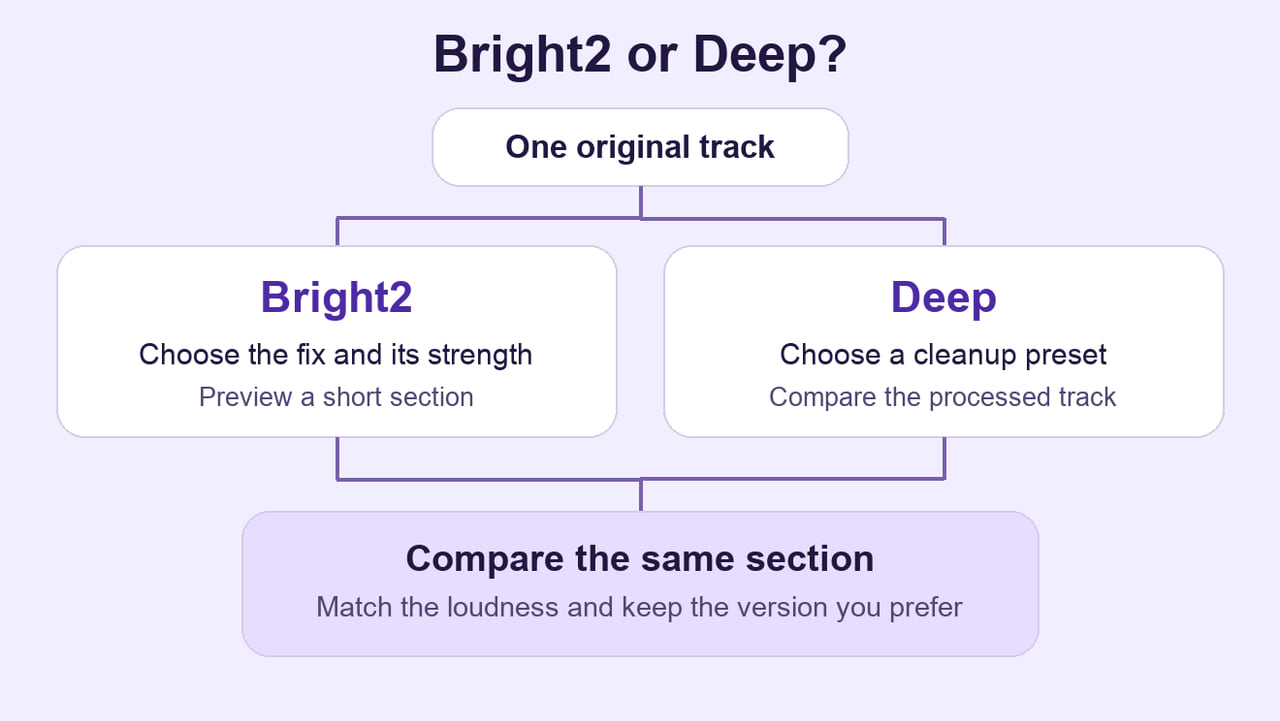
Use Bright2 to target a specific sound or Deep to try a preset. Compare both on the same original track and choose the version you want to keep.
Clean up your trackBright2 is the default. Start there if you can point to the sound you want to fix. Try Deep if you want to choose a preset. If one version already sounds right, download it and move on.
Start with Bright2 for a specific sound
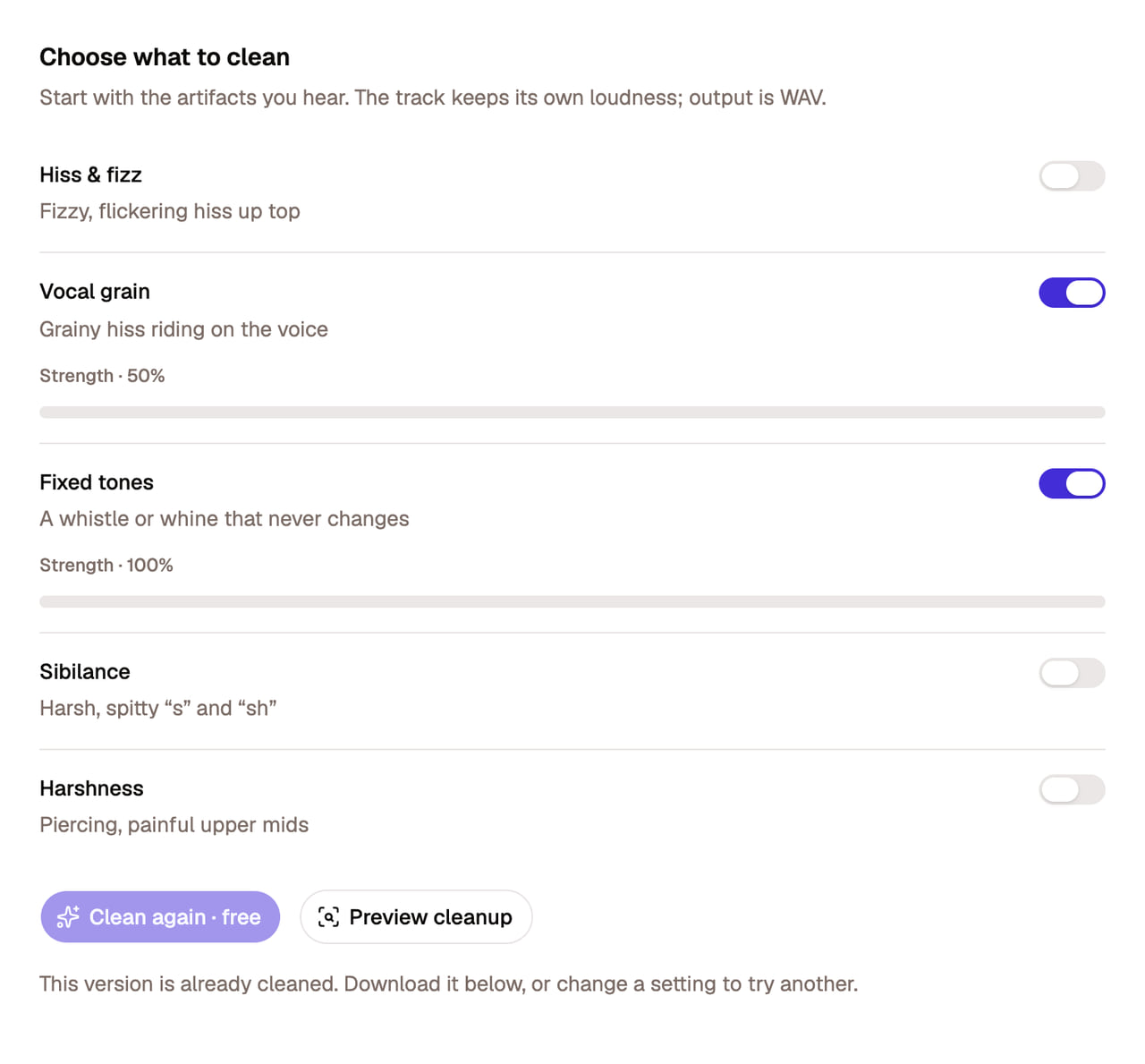
In Choose what to clean, turn on the fix that matches what you hear. For a steady whistle, try Fixed tones. For sharp “s” and “sh” sounds, try Sibilance. For a grainy layer that follows the voice, try Vocal grain. Bright2 lets you adjust the strength of each fix individually.
Click Preview cleanup and switch between Original and Processed on the same short section. If the vocal loses some of its detail, lower the strength and preview again. When the change sounds right, click Get full track.
Try Deep when you want a preset
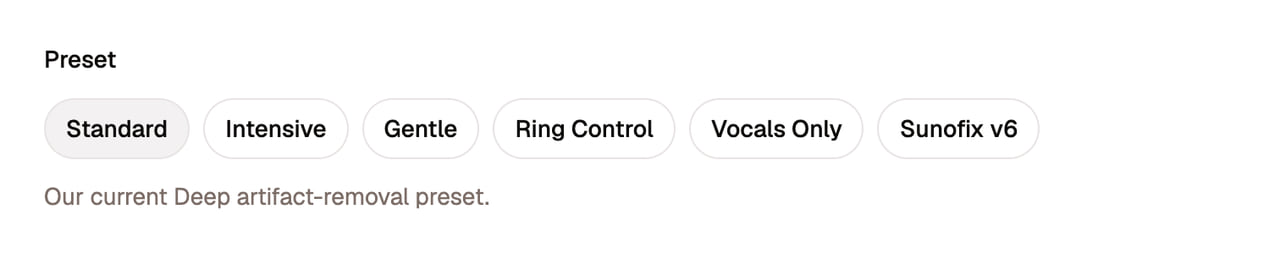
Start with Standard when several parts of the song sound rough or you’re unsure which problem to tackle first. Try Ring Control if ringing or chirping keeps coming back in different sections. Choose Gentle when the mix is already close to what you want and you want a lighter pass.
If you’ve already separated the vocal from the instruments, Vocals Only is intended for that isolated vocal file. For a stereo mix, start with a full-track preset.
Compare both on the same original track
If you try both modes, start each one from the original in My Tracks. Check the credit amount shown before you run the full cleanup. Bright2’s free preview plays a short section. After the first full Bright2 cleanup of a track, you can try up to 20 more Bright2 cleans on that original for free. Once both versions are ready, open either saved result under the original in My Tracks.

Pick a section where the artifact is obvious, then check a different section where the song already sounds good.
- On the vocal, listen to the ends of words and any whistling behind them. Keep the version that reduces the noise while leaving the words clear.
- On the drums, listen to the first hit of the snare or hi-hat. Check that the cleanup leaves enough bite for the rhythm to feel right.
Keep the playback levels close while you switch between versions. When you’ve picked the one you prefer, click Download WAV. If you plan to master the track, use that cleaned version as your starting point.