
Google Flow Music: Verify the Tool and Check the Export
Check Google Flow Music exports for loop seams, bass balance and harshness. Finish musical edits before choosing post-export cleanup.
Clean my Flow Music export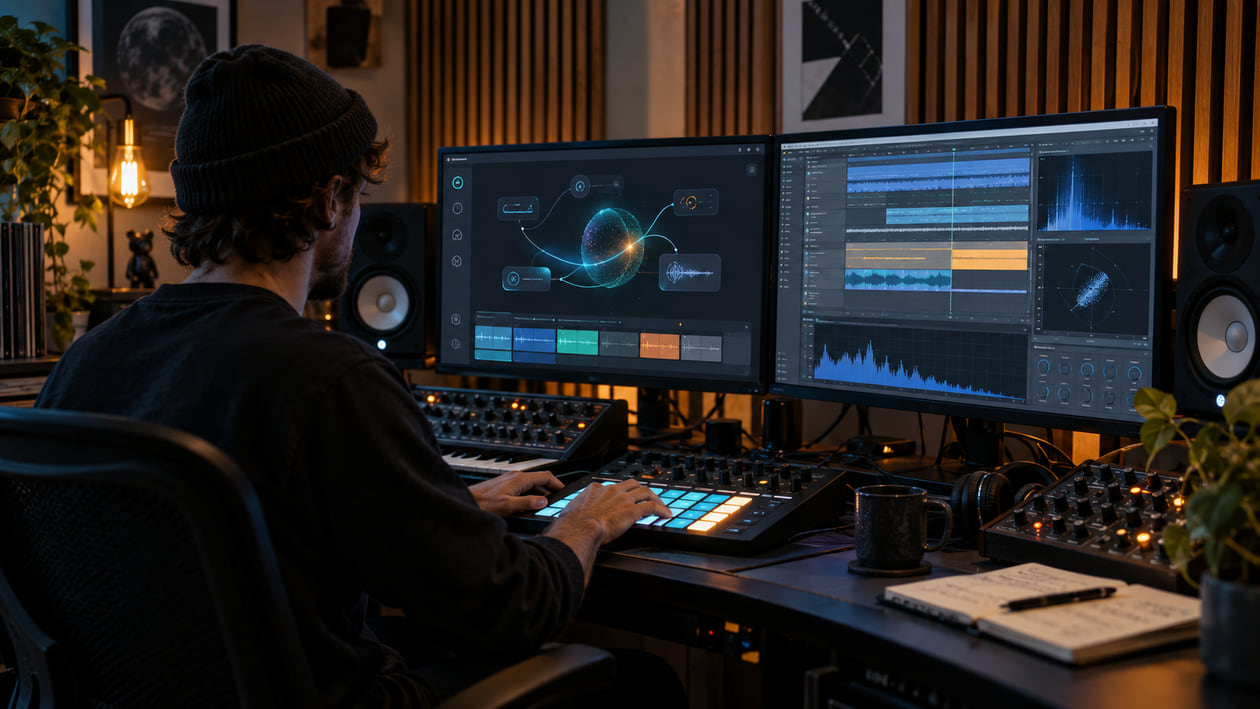
A loop feels smooth for seven bars, then the next repeat lands with a soft click. The bass is full in headphones but weakens when you switch to mono. After several repeats, the low mids feel crowded and the whole track gets tiring. Those are three different problems, even if you found them all in one Google Flow Music export.
The safe order is to keep the original file, mark the exact problem, repair only what you can hear, and compare the result at the same perceived loudness. Do not begin by boosting the top end or pushing the track into a limiter. That can make a seam, phase problem, or dense low-mid area more obvious.
Checked October 28, 2026. Google Labs lists Google Flow Music as a music studio and Google Flow as a separate creative studio. Google’s Flow Music help documents song editing and downloads. It does not explain a flow-matching cause for an audible defect, so this guide starts with the exported file.
The short answer: clean the export, not an assumed architecture
Google Flow Music audio quality should be judged from the file you downloaded. Listen for a boundary click, a short change in ambience, bass that shifts sideways, a boxy build-up around the low mids, or a bright texture that becomes tiring. Each symptom points to a different next action.
A click at a repeat point may need a short crossfade. A bass part that disappears in mono may need low-end stereo control or a different source section. Low-mid buildup may respond to a small dynamic EQ move. Harshness that moves between vocals, cymbals, and reverb needs a more cautious approach than a fixed treble cut.
The phrase “flow matching audio quality” may appear in searches, but the product name Flow is not evidence that the music model uses flow matching. Treat that phrase as a question to verify, not as a diagnosis. Your ears and the exported waveform tell you more about the repair than a guessed model label.
Identify Google Flow Music correctly
Google Labs lists Flow Music as a music studio for making songs and Flow as a separate creative studio. For a song export, use the Flow Music help page, rather than treating Flow video features as music-export controls. Flow Music help describes song creation, composition changes, and the Cover, Replace, and Extend remix options. Features can vary by subscription, platform, and region.
The Flow Music help page adds useful workflow detail. You can start with text, image, or audio prompts; ask the producer to change structure or mix details; and use Cover, Replace section, or Extend song. The download flow asks you to select a file format. It does not publish a fixed list of download formats on that help page, and it does not document a Flow Music stem-download option.
MusicFX DJ is related history, not a second name for the current product. Google DeepMind described MusicFX DJ as a real-time system that generated the next clip from previous audio and changing text-prompt embeddings. That 2024 page documents 48 kHz stereo streaming and a 60-second download for MusicFX DJ. It does not establish Flow Music’s current download format, stem availability, or internal architecture.
This distinction matters. A claim that was accurate for MusicFX DJ should not be copied onto a Flow Music export without current documentation. Use the controls and formats shown in your account, then make production decisions from the actual file.
Inspect the exported loop and stereo image
Play the busiest chorus first, then one quiet tail and every replaced or extended boundary. Listen at a comfortable volume. If the track is too loud, small high-frequency problems feel worse and the louder version tends to win an unfair A/B comparison. Compare the same passage in stereo and mono before changing the bass.
- Loop or section seam: a click, micro-silence, level jump, changed reverb, or a beat that enters slightly early or late where two sections meet.
- Low-mid buildup: kick, bass, lower synths, and room tone crowd the same area. The result sounds boxy or congested rather than simply bass-heavy.
- Stereo phase instability: bass, lead, or ambience loses weight in mono, or the center seems to drift when the arrangement gets dense.
- Harsh moving texture: consonants, hats, and reverb tails produce a glassy layer that changes with the music. A static EQ cut may dull the entire song without following the problem.
- Clipping or limiting damage: flattened peaks, crackle, or pumping remain even after you lower playback volume. Cleanup can reduce some symptoms, but it cannot restore the original peak shape.
I usually start with the transition that caught my attention, then play it inside a longer passage. A seam that sounds large in a one-second loop may be harmless in the song, while a small low-mid buildup can become exhausting over a full chorus.
If the click occurs only when the loop repeats, inspect that join and try a local repair. If bass weakens only in mono, test low-end width in a separate pass. If the chorus becomes tiring after several repeats, compare its low-mid balance with a quieter section. These observations do not identify an internal model defect.
If you are unsure whether a bright area is a stable tonal balance or a moving artifact, read when EQ can remove AI music artifacts. The decision depends on how the sound behaves, not on which generator name appears in the project.
Source preflight: download, rights, and the best available file
Download the least compressed option Flow Music currently offers you. Keep that file unchanged and make a working copy for cleanup. If the menu only gives you a lossy format, do not convert it to WAV and describe it as recovered lossless audio. A WAV working copy can prevent another lossy encode during editing, but it cannot restore discarded information.
Keep notes about any Cover, Replace section, or Extend operation. Those edit points deserve a boundary check even when the new material is musically convincing. If you supplied audio or an image prompt, preserve evidence that you had the necessary rights to use it.
Google’s general terms say that your content remains yours and that Google does not claim ownership over original content generated in services that support generation. The same terms require you to respect other people’s intellectual-property rights, and Google’s generative AI policy prohibits content that violates those rights. That language does not guarantee commercial clearance or distributor approval for a specific Flow Music song.
Check the terms and notices shown in the product at the time of your release. Rights can depend on your inputs, account, territory, plan, and the people or material represented in the song. Audio cleanup changes sound; it does not settle ownership.
Flow Music Loop and Stereo Inspection Map
The table below is a listening map. It does not claim that every Flow Music track contains these defects.
| What you hear | Quick test | Smallest useful action | Stop when |
|---|---|---|---|
| Click at a repeat or replaced section | Zoom to the boundary and loop one beat before and after it | Move the cut to a zero crossing or add a very short equal-power crossfade | The click disappears without softening the attack |
| Short ambience jump | Loop two bars on each side of the edit | Extend the overlap or automate the reverb return locally | The room no longer changes abruptly in context |
| Boxy low mids | Bypass a narrow dynamic band while the full mix plays | Lower only the range that swells, often somewhere around 150–250 Hz | The mix clears without thinning the kick or body |
| Bass weakens in mono | Toggle mono at matched loudness | Reduce low-frequency side information or replace the unstable source section | Bass weight stays consistent without collapsing the whole mix |
| Harsh highs move with vocals or hats | Compare a quiet verse and dense chorus | Use dynamic rather than fixed attenuation; see the harsh-highs guide | Fatigue drops while consonants and cymbals retain shape |
| Visual line or band in a spectrogram | Confirm it by ear in the same time range | Use the display to locate the passage, not to invent a diagnosis | The audible problem, not just the picture, improves |
A loop seam is simpler to test: inspect the waveform at the join, compare the level and ambience on both sides, and listen in mono. If the boundary is clean but the repeat still feels wrong, the problem may be musical timing, harmony, or performance. Regenerate or re-edit that section instead of forcing a technical cleanup onto a creative mismatch.
A restrained manual DAW cleanup workflow
Keep the original download untouched. Duplicate it, align the working copy at the start of the timeline, and turn off any limiter or loudness normalizer while you diagnose. You need headroom and an honest comparison.
Mark every generated or replaced-section boundary. Loop two bars before and after each marker. Check for a click, level jump, timing shift, and ambience change separately. One broad processor will not solve all four.
Check the low end in mono. A correlation meter can help, but the audible test comes first. If the bass becomes hollow or disappears, reduce side-channel energy below the point where direction is no longer useful. Start conservatively. Do not collapse the full mix because one note moved.
Repair the seam locally. Try a 4–10 millisecond equal-power crossfade for a tiny discontinuity, then adjust by ear. Use gain automation for a level step. If the performance or room changes for an entire phrase, return to Flow Music’s Replace section or Cover workflow.
Use dynamic EQ only when the problem moves. A dynamic band lowers a range only when it becomes crowded or harsh. Start with a small change, often 1–2 dB, and bypass it regularly. If the kick loses weight, the vocal becomes dull, or the groove stops feeling physical, back off.
Level-match the final A/B. Lower the louder version until switching no longer creates an obvious volume jump. Compare the same chorus, quiet tail, mono passage, and edit boundary. Louder is not cleaner.
Leave headroom for mastering. The repaired export should not clip, and it should not be forced to final loudness. Mastering works better when the source no longer has a distracting seam or unstable tonal problem.
Use cleanup after musical edits
Finish the song’s structure and sections in Flow Music first. Use Replace or Extend when a phrase, chord movement, or transition is musically wrong. Download the result, then check its joins, mono bass, and harshness before choosing any processing. Another cleanup pass cannot rewrite the musical phrase.
If the export has one repeat click, repair that boundary locally. If bass loses weight in mono, compare a narrower low end with the original. If unwanted texture follows the full mix, make one conservative cleanup comparison at matched loudness. The loudness-matched A/B guide covers the comparison method; improving Suno audio quality covers broader source-quality decisions.
The Sunofix path for Flow Music exports
Manual editing is the right choice for one clear seam or a bass problem confined to one section. It is less reliable when harshness or synthetic texture moves through the full mix. Several broad EQ cuts can remove the artifact and the musical detail together.
I built Sunofix for the point where the song already works but the exported mix still needs careful cleanup before mastering. Upload the lawful full-mix file, run a conservative pass, then compare the cleaned WAV with the untouched original. Use the waveform, spectrogram, and frequency diagnostics to explain a change you can also hear.
Sunofix can reduce metallic texture, broad harshness, and some generator-like residue in a finished export. It can create a cleaner source for review or later mastering. It does not perform stem separation or make a creative decision about which Flow Music section should be regenerated.
A spectrogram is useful when you already know which passage to inspect. The audio-to-spectrogram guide explains how to create one and read time against frequency without treating the image as an automatic diagnosis.
Limits: what post-export cleanup cannot fix
Sunofix cannot repair lyrics, composition, timing, or an incompatible generated section. If a replacement changes pronunciation, chord movement, groove, or instrumentation, use Flow Music’s editing tools or make another generation. Cleanup cannot make two different performances identical.
It cannot recover data removed by clipping or lossy encoding. It cannot turn a mixed stereo file into clean native stems, and current public Flow Music help does not document a stem-download path. Full-mix processing can soften a shared symptom, but it cannot rebalance kick, bass, vocal, and synth with the control of a real multitrack session.
Sunofix also does not remove SynthID, bypass AI detection, grant rights, or guarantee distributor acceptance. Keep product cleanup, rights review, mixing, mastering, and release QC as separate decisions.
Stop when the seam no longer pulls your attention, the low end survives mono, and the chorus stays comfortable without losing energy. More processing is not automatically better. If the full mix still has moving synthetic texture, Suno artifact cleanup is one post-export option to compare with the untouched song.
Production checklist for Google Flow Music
- Keep the original download and note the format offered by your current account.
- Preserve evidence that you may use every audio, image, lyric, and reference input.
- Mark each Cover, Replace section, and Extend boundary.
- Listen to the busiest chorus, one quiet tail, and every marked join.
- Check stereo and mono before changing low-end width.
- Repair clicks, level steps, and ambience jumps locally.
- Use a dynamic low-mid or high-frequency correction only when the symptom is repeatable.
- Run a conservative Sunofix comparison when the unwanted texture moves through the full mix.
- Level-match the original and cleaned versions.
- Confirm that the cleaned file has no new clipping and still feels like the song you chose.
- Decide whether the next step is another Flow Music edit, a mix repair, mastering, or no further processing.
The finished check is deliberately modest: no distracting join, no bass collapse in mono, no unnecessary harshness, and enough headroom for the next stage. If the song passes those tests, stop changing it.
Sources
- Google Labs: Google Flow Music
- Google: New agents, mobile apps and Gemini Omni for Google Flow and Flow Music
- Google Flow Help: Create and manage songs in Google Flow Music
- Google DeepMind: New generative AI tools open the doors of music creation
- Google Terms of Service
- Google Generative AI Prohibited Use Policy
FAQ
Google Flow Music: Verify the Tool and Check the Export FAQ
Is Google Flow Music the same page as the Flow video editor?
No. Google Labs lists Flow Music as its music studio and Flow as a separate creative studio. Use Flow Music help when checking song creation, editing, and downloads.
Does cleanup guarantee release readiness?
No. Finish musical edits, check the exported file, review rights and delivery requirements, and complete final mastering separately.
Can I turn a Google Flow Music song into a commercial release?
The Google Terms say Google does not claim ownership over original content generated in services that support generation, but that is not a complete commercial license or rights clearance for every song. Check the current Flow Music terms shown for your account, confirm rights to every input, and review distributor requirements before release.
Which file format should I download from Google Flow Music?
Google Flow Help tells users to choose a file format during download but does not publish a fixed format list on that page. Choose the least compressed option shown in your current account, preserve the original download, and avoid repeated lossy exports.
How do I stop bass from weakening on phone speakers?
First compare the chorus in stereo and mono. If the bass loses weight in mono, reduce stereo information in the low end or repair the source section instead of boosting bass globally. Phone playback also depends on harmonics above the deepest bass, so judge the change on more than one device.