
YuE2 Audio Quality: Clean Stereo Haze Before Mastering
A practical guide to checking YuE2 48 kHz stereo exports for vocal haze, brittle highs, low-end instability, and edit problems before mastering.
Clean my YuE2 export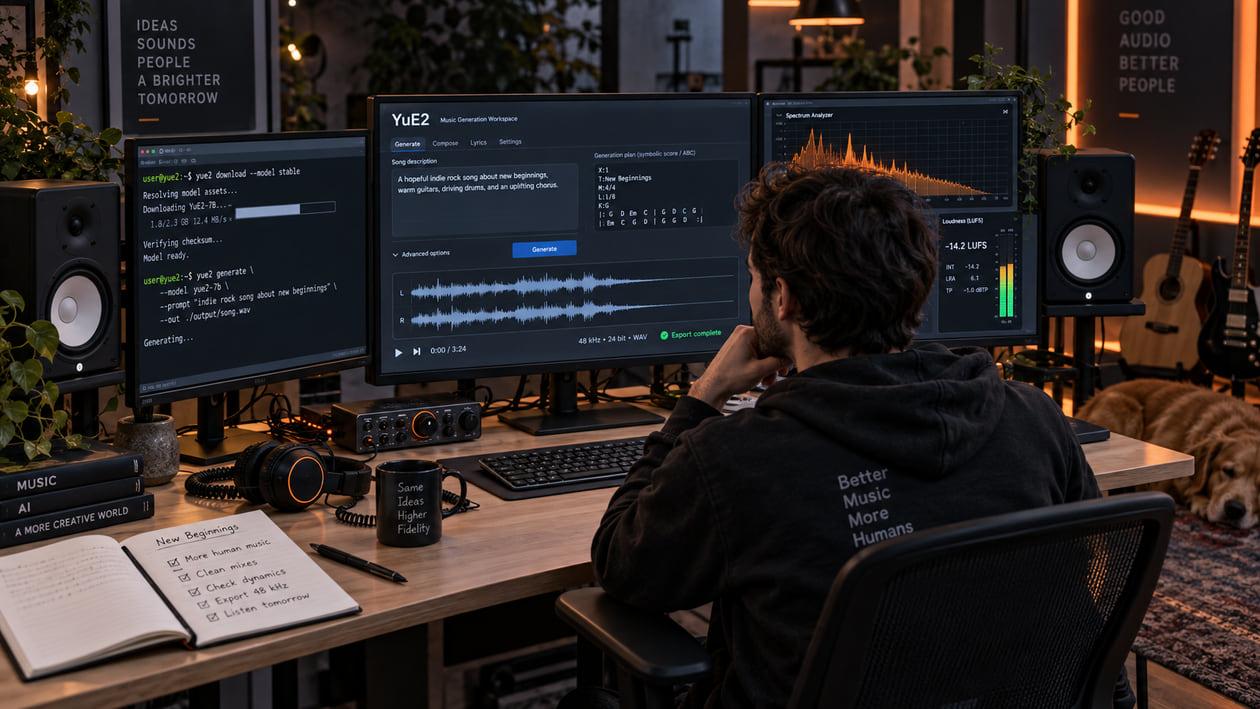
A YuE2 song can already have the melody, vocal character, and arrangement you wanted while the rendered audio still feels tiring. You may hear a thin glassy layer around the vocal, cymbals that turn into spray, a low end that weakens in mono, or a dense chorus that loses separation. Those are useful listening notes. They are not proof of a particular tokenizer, cutoff, or hidden model failure.
Keep the first export untouched. Listen to the same exposed verse, busiest chorus, and final tail at matched loudness. If the distraction repeats at the same timestamp, decide whether it belongs to generation, editing, mixing, cleanup, or mastering before reaching for a processor.
Checked September 20, 2026. The official YuE2 generation guide documents a 48 kHz stereo output decoded by YuE2-Vae. A saved generation includes audio.flac, a symbolic score when applicable, planning data, semantic tokens, acoustic latents, effective configuration, timings, model identities, and integrity records. It does not document xCodec2, a fixed 16 kHz cutoff, or default isolated vocal and instrumental audio stems.
The short answer: inspect the stereo render before you master it
Start with the original audio.flac, not a later MP3 or a normalized social-media copy. Loop one quiet section and one dense section. If the unwanted texture moves with the vocal, cymbals, or reverb, broad denoising may remove musical detail along with the distraction. If the problem is a wrong note, a broken phrase, or an awkward transition, return to YuE2’s plan or generation stage instead.
YuE2 can create a symbolic plan before synthesis. That gives you an unusually useful decision point: fix musical structure in the plan, regenerate a poor performance, and reserve audio cleanup for problems that remain in an otherwise successful stereo render. Cleanup should not become a substitute for composition editing.
I usually check the busiest chorus first, then move to an exposed vocal tail. The chorus reveals whether layers collapse into a hard surface; the tail reveals whether a watery or metallic texture was merely hidden by the arrangement. This two-point check is faster and safer than processing the entire song because a spectrum looked unusual.
Use AI music artifacts explained if you need help separating hiss, shimmer, clipping, reverb smear, and codec damage. Naming the symptom makes the next action smaller.
Diagnose the YuE2 export you actually have
Do not begin with a list of defects that YuE2 is assumed to produce. Begin with sounds you can repeat and compare.
- Glassy vocal edge: The lead sounds natural in a sparse verse but develops a thin metallic outline when harmonies and bright instruments enter. Check whether the edge follows the vocal or stays fixed across the mix.
- High-frequency spray: Cymbal tails, breath, and reverb lose their shape and become a moving sandy layer. Compare the same moment at lower playback volume; loudness alone can make bright material feel harsher.
- Midrange crowding: Vocal, guitars, and synths feel pressed into one surface. Listen in mono. If the problem remains centered, balance or dynamic control may help more than stereo processing.
- Low-end instability: Kick and bass feel full in stereo but lose weight or change character in mono. That points to a phase or balance check, not automatically to artifact removal.
- Edit discontinuity: A revised section has a click, ambience jump, or different musical direction. A click may need a tiny crossfade. A musical mismatch belongs back in the plan or regeneration workflow.
- Flattened attacks: Drums and plucks lack a clear front edge. Compare against the untouched render before adding expansion; a soft attack may be intentional or already baked into the performance.
A spectrogram can show a bright stripe, a roll-off, or changing energy, but it cannot name the cause. The official YuE2 materials do not establish a universal 16 kHz cutoff or a guaranteed quantization-noise pattern. Treat any graph as a map back to a timestamp you can hear.
Source preflight: YuE2 model, decoder, format, and rights
Record the model and decoder before processing. The official workflow uses YuE2-3B for planning and generation, then YuE2-Vae for default listening. YuE2-Vae-legacy exists to reproduce the recorded benchmark protocol. The documentation recommends decoding the same cached latents when comparing those decoders, rather than generating a new song and pretending the comparison changed only one variable.
The supported starting point in the current guide is Python 3.12 with a BF16-capable NVIDIA GPU and 24 GB VRAM, one request at a time. Hardware, runtime versions, sampling settings, and model revisions can affect reproducibility. Pin the model and VAE revisions when a comparison matters, and keep each changed request in a fresh output directory.
The default saved audio is 48 kHz stereo FLAC. Preserve it. If your DAW needs WAV, convert a duplicate without changing the sample rate and keep the FLAC with its result.json, plan, configuration, and model identities. Converting a later MP3 to WAV does not restore discarded information.
Do not confuse symbolic voices with audio stems. The native melody input can contain Vocal and Ins voices, but the current generation guide documents one stereo audio.flac, not separate vocal and instrumental audio exports. If another interface offers separated files, document that interface and listen for separation residue before mixing them.
Rights need a separate preflight. Current YuE2 checkpoint weights are licensed under CC BY-NC 4.0. The model license also grants individual creators permission to publish, distribute, sell, license, or monetize generated outputs under its responsible-use conditions. That extra permission does not authorize commercial weight use by companies and does not clear third-party lyrics, voices, samples, trademarks, or other material. Keep a copy of the current terms and verify the rights for your actual inputs and release.
YuE2 stereo-render inspection map
YuE2 Stereo Render Inspection Map
| What you hear | What to verify | Smallest useful action | Stop condition |
|---|---|---|---|
| Vocal gets glassy only in dense sections | Loop the same line in verse and chorus at matched loudness | Try a narrow dynamic EQ reduction only when the edge appears | Stop if consonants lose clarity or the vocal moves backward |
| Cymbal and reverb tails turn into spray | Check the untouched FLAC and a later delivery copy | Work from the original; test a conservative full-mix cleanup | Stop if air and room decay become dull or gated |
| Bass changes when summed to mono | Compare stereo and mono while watching correlation | Rebalance low-frequency width or return to the mix source | Stop before the stereo version loses intentional space |
| A section begins with a click | Inspect the exact edit boundary and waveform continuity | Apply the shortest fade or crossfade that removes the click | Stop before the next transient becomes soft |
| Chorus feels smaller after processing | Level-match against the untouched render | Reduce or remove the processing | Stop once energy, punch, and vocal focus return |
| A note, lyric, or transition is wrong | Inspect the symbolic plan and generation request | Edit the plan or regenerate the section | Do not try to hide a musical error with cleanup |
This map keeps observation separate from explanation. It also prevents the requested fix from becoming a chain of unrelated plugins.
Restrained manual cleanup in your DAW
Duplicate the converted WAV and keep the original FLAC untouched. Place markers at the exposed verse, busiest chorus, final tail, and every edit boundary. Set your monitoring level once, then compare changes at equal loudness.
For a glassy vocal edge, try a dynamic EQ: it lowers a narrow frequency area only when that area becomes aggressive. Sweep briefly to locate the distracting band, return the gain to zero, and apply no more reduction than you can defend in a blind bypass. The harsh-highs guide explains this workflow without turning the entire mix dark.
For sub-rumble, inspect below roughly 30 Hz and watch whether it actually consumes headroom. Move a high-pass filter upward slowly while the full mix plays, then bypass it. If the kick or bass loses weight, lower the cutoff or remove the filter. A line on a graph is not enough reason to change the song.
For a local click, zoom into the boundary and add a very short fade or crossfade. If the room tone, harmony, or performance changes across the join, a longer fade may only turn the mistake into a dip. Regenerate or revise the planned section instead.
Avoid automatic stereo widening on the full mix. If the low end becomes hollow in mono, narrowing the bass region can be useful, but a stereo processor cannot recover independent vocal and instrumental control from a finished render. Likewise, upward expansion may make attacks clearer, yet it can also raise noise and exaggerate brittle edges.
I prefer one reversible change at a time: fix the click, compare; control one harsh band, compare; then stop and listen from the beginning. When several processors are added before the first A/B, it becomes hard to tell which one helped and which one removed part of the song.
The Sunofix cleanup path for YuE2 audio
Manual repair is the right choice for one click, one resonance, or one edit boundary. A track-aware cleanup pass becomes more useful when a moving synthetic texture follows vocals, cymbals, and ambience through several sections, making static cuts too broad.
I built Sunofix for this stage: the song and performance already work, but the exported mix still has an artificial edge that distracts from them. Convert a duplicate of the YuE2 FLAC to a supported WAV or MP3, upload the lawful file, and start with a conservative cleanup. Compare the same verse, chorus, and tail against the original at matched loudness.
Sunofix aims to reduce audible artifact texture while preserving melody, lyrics, arrangement, performance, dynamics, and emotional shape. It does not use the YuE2 plan, semantic tokens, or latents, so it cannot revise composition or regenerate a phrase. It also cannot create true stems from the finished stereo file or restore detail already lost to clipping or lossy encoding.
The most useful result is not the one with the emptiest high-frequency display. It is the version where the distracting layer is lower and the vocal still feels present, the cymbals still breathe, and the chorus retains its lift. If the cleaned version wins only because it is louder, level-match it before deciding.
Technical and legal boundaries
Cleanup is not mastering. Cleanup reduces an unwanted source texture; mastering sets final tonal balance, dynamics, sequencing, and delivery level. Finish source repair first, then use cleanup versus mastering to choose the next stage.
Sunofix cannot repair incorrect lyrics, composition, timing, melody, or an incompatible generated section. It cannot guarantee that a distributor will approve a release, identify the model that created a file, certify ownership, or provide legal clearance. It does not remove watermarks or bypass detectors.
Do not describe a spectrum feature as “YuE2 tokenizer noise” unless you have controlled evidence for the exact model, decoder, and processing chain. The current official workflow uses YuE2-Vae and does not document xCodec2 for YuE2. Similarly, a perceived roll-off above 16 kHz in one file does not establish a platform-wide cutoff.
Keep the generation manifest, original FLAC, model and VAE revisions, plan, prompt, license snapshot, converted working copy, cleaned file, and final master as separate assets. That record makes technical comparisons repeatable and rights questions easier to answer.
YuE2 audio quality checklist
- Preserve the original
audio.flacand the complete saved artifact directory. - Record YuE2-3B and VAE revisions, runtime, seed, settings, and whether generation reported truncation.
- Confirm 48 kHz stereo from the actual file instead of assuming another format or bit depth.
- Mark one exposed verse, the busiest chorus, the final tail, and every edit boundary.
- Name the symptom you can hear before interpreting a spectrogram or adding a processor.
- Compare stereo and mono, especially for kick, bass, wide vocals, and reverbs.
- Repair local clicks locally and return musical errors to the plan or regeneration stage.
- Use dynamic EQ or filtering only when a repeatable problem calls for it.
- Test a conservative Sunofix pass only for unwanted texture that moves through the full mix.
- Level-match the before and after, then check headphones and an ordinary speaker.
- Stop when cleanup changes the song’s air, punch, focus, or emotion.
- Master only after the source decision is stable, and keep every stage separate.
If the distracting edge recedes while the vocal, low end, ambience, and chorus energy remain intact, you have a cleaner source for mastering. If the result feels smaller or duller, return to the original and make a narrower change. The goal is not to erase every unusual texture. It is to protect the song you decided was worth keeping.
Continue listening
Related reading
FAQ
YuE2 Audio Quality: Clean Stereo Haze Before Mastering FAQ
What causes digital artifacts in YuE2 audio?
A distracting sound in one export may come from generation, decoding, a later edit, level conversion, or another processing stage. The official YuE2 documentation does not define one universal artifact profile. Name the audible symptom, confirm its timestamp, and compare the untouched 48 kHz stereo FLAC before choosing a fix.
Does YuE2 export separate vocal and instrumental stems?
The current official YuE2 generation guide documents a 48 kHz stereo audio.flac plus symbolic plans, tokens, latents, configuration, and integrity records. It does not document separate vocal and instrumental audio stems as the default export. Vocal and Ins voices in an ABC plan are symbolic parts, not proof of isolated audio stems.
Can Sunofix clean music generated with YuE2?
Sunofix can process a lawful local WAV or MP3 copy of a YuE2 render when the problem is an audible full-mix texture. It cannot change lyrics, repair composition, split a stereo mix into true stems, restore clipped detail, or provide copyright clearance.
Can individual creators monetize YuE2 output?
The YuE2 weights use CC BY-NC 4.0, with an additional current permission for individuals to publish, distribute, sell, license, or monetize outputs subject to responsible-use conditions. Companies need separate commercial permission for weight use. Check the current model license and clear all rights in your inputs and outputs.