
Treblo vs Suno: Generation, Editing, Export, and Cleanup
Compare Treblo and Suno by the work that happens before and after export: song generation, editing, download choices, rights, and careful audio cleanup.
Compare the workflows, then clean the export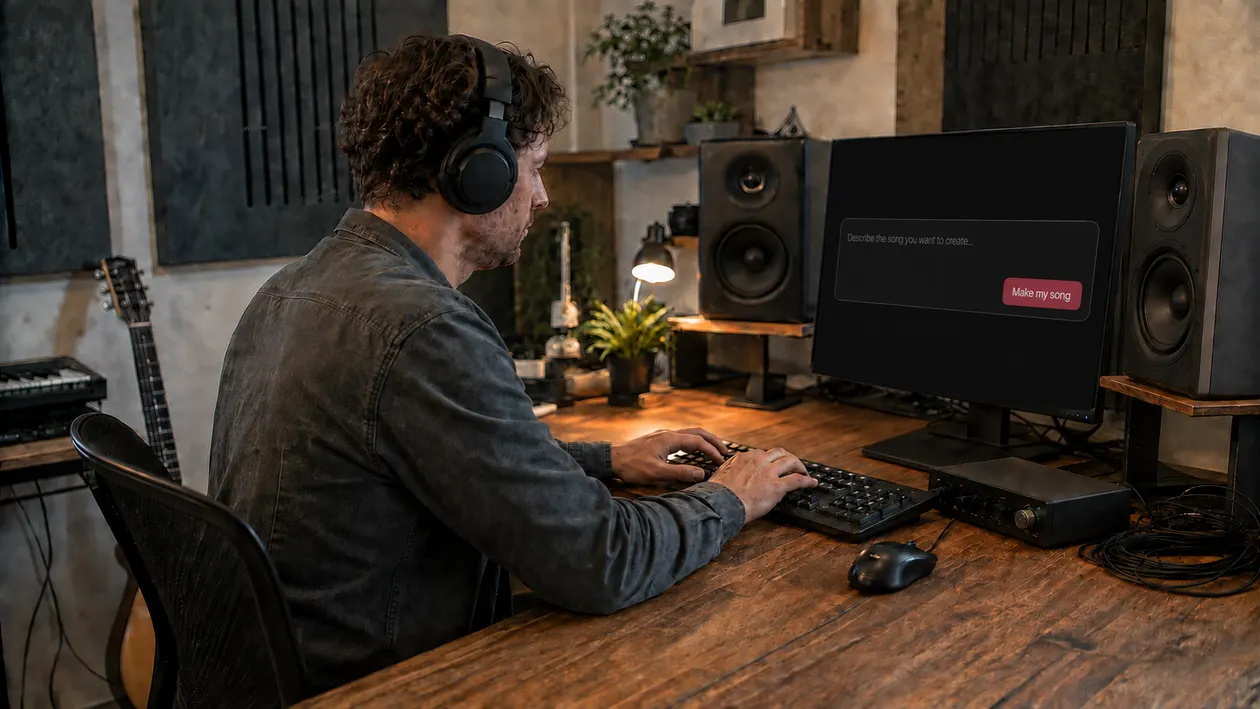
Treblo and Suno can both take an idea toward a finished song, but the useful comparison is not a list of every button on each site. It is the point in the workflow where each decision belongs. Generate and revise the music inside the generator. Export only when the lyric, structure, and performance are worth keeping. Then decide whether the downloaded audio needs cleanup, mixing, mastering, or no further work.
Treblo is the current name of Sonauto, not a second service layered on top of it. The official rename post says the change happened on June 3, 2026 and that existing accounts, songs, and shared links continued. Suno remains a separate company and platform. Sunofix is not affiliated with, sponsored by, or endorsed by Treblo, Sonauto, or Suno.
I start with the ears because a feature comparison can pull attention away from the song. If the chorus is wrong, return to generation or editing. If the chorus is right but a thin metallic layer, hiss, or splashy decay keeps catching your attention in the export, you have a post-export audio question.
Official dated capability matrix
The official pages in this comparison were checked on September 5, 2026. Product controls and plan rules change, so treat the table as a dated map to the current documentation, not a promise that every option appears for every account or every track.
| Workflow question | Treblo, checked September 5, 2026 | Suno, checked September 5, 2026 |
|---|---|---|
| What starts a song? | Treblo’s consumer page describes prompt-based full-song creation, user-written or generated lyrics, style tags, and an instrumental option. | Suno’s Simple Mode help documents song creation from a description. Its Custom workflow also supports user-provided lyrics. |
| What can change after generation? | Treblo describes section iteration, lyric changes, extending, remixing, inpainting, and stem separation. Its API docs separately document generation, extend, and inpaint endpoints. | Suno’s Song Editor help documents replacing sections, editing lyrics, extending, cropping, moving sections, and fades. Some editing help pages identify plan restrictions. |
| What can be downloaded? | Treblo’s consumer page lists OGG, MP3, WAV, FLAC, and M4A. Its API documentation lists the same formats and bitrate choices for MP3 and M4A. | Suno’s download help lists audio and video downloads, including MP3 and WAV. Studio documentation describes WAV and stem export workflows. Availability and download limits depend on the current plan and product area. |
| What do the official rights pages say? | Treblo’s Terms say that, as between the user and the service and to the extent allowed by law, the user owns rights that may exist in their outputs. The Terms also warn that outputs may not be unique and place responsibility for lawful inputs and use on the user. | Suno’s help distinguishes free and paid creation. It says songs made while subscribed receive commercial use rights, while free-plan songs are for personal, non-commercial use. Suno also warns that commercial rights do not guarantee copyright protection. |
The matrix deliberately separates consumer pages, developer documentation, and legal terms. An API endpoint is not proof that the same control exists in a consumer account. A marketing comparison is not a substitute for the current Terms. A format named in documentation is not a guarantee that it will appear for a historical song, a particular plan, or a particular product surface.
Generation workflow
Start by asking what kind of musical decision you need to make. Both platforms document a path from a text idea toward a generated song. Treblo describes prompts, style tags, lyrics, and instrumental generation. Suno documents Simple Mode for a natural-language description and Custom controls for more detailed input, including your own lyrics.
The sensible workflow is similar on either platform:
- Write one clear musical brief with mood, pace, instrumentation, and the job of the song.
- Add lyrics only when you have the right to use them. Keep your original lyric draft outside the platform too.
- Generate a small set of candidates and listen through them before judging loudness or polish.
- Choose the version with the strongest melody, structure, and performance, not merely the brightest export.
- Save enough notes to recognize why you chose it before you begin editing.
Do not compare one lucky Treblo generation with one weak Suno generation and call that a product verdict. Prompt wording, model choice, randomness, and the musical brief all affect the result. A fair personal test uses the same creative target, several attempts, and the same listening conditions. Even then, the result tells you which workflow served that song, not which platform wins every genre.
When the song idea is still wrong, cleanup is premature. Audio processing cannot write a better hook, correct an unwanted lyric, change the arrangement, or recover the performance you hoped the generator would create. Stay in the generator until the musical content is close enough to keep.
Editing workflow
Editing is where the two products are easiest to misrepresent. Treblo’s current consumer page describes changing sections and lyrics, extending a track, remixing, and iterating in an editor. Its API documentation also exposes extend and inpaint operations. Suno’s Song Editor documentation describes replacing or adding a section, editing lyrics, extending, cropping, rearranging sections, and applying fades.
Those lists describe documented capabilities, not universal entitlements. Check the controls on the exact song. A feature may depend on plan, model, project state, product area, API version, permissions, or rollout timing. If a stem or replacement tool is absent, do not build a deadline around a feature seen on a public page.
Use generator editing for musical problems:
- Replace a section when the melody, lyric, or performance misses the point.
- Extend when the ending feels abrupt or a section needs room.
- Crop or rearrange when the structure is wrong.
- Work with available stems when you need to rebalance parts rather than treat the stereo mix.
Keep transitions under close review. A replacement can solve the lyric and still create a tonal jump, awkward timing, or a reverb change at the boundary. Listen from several seconds before the edit through several seconds after it. Then play the whole verse or chorus. A clean soloed edit can still feel wrong in the song.
Sunofix does not import a Treblo or Suno project or prompt. It cannot reopen generation context, transfer a song between the two generators, replace lyrics, extend an arrangement, or bypass a disabled control. It begins later, with an audio file you are entitled to process.
Export options
Export is a handoff, not an automatic quality upgrade. Treblo currently lists OGG, MP3, WAV, FLAC, and M4A on its consumer page, and the API documentation lists the same output formats. Suno’s help documents MP3 and WAV downloads, while Suno Studio documentation covers WAV and stem export. Check the menu you actually have before choosing a workflow.
If a lossless format is available for the track, keep that file as your untouched source. WAV is widely accepted by audio tools. FLAC can store lossless audio in a smaller file, but confirm that the next tool accepts it. MP3, M4A, and OGG are useful delivery formats, yet another lossy conversion can remove detail before you even start repair.
Converting MP3, M4A, or OGG to WAV does not restore codec data discarded by the earlier encoding. The WAV may make editing simpler, but it contains a decoded version of the lossy source. That distinction matters when someone promises to recover an original master from a compressed download.
I usually check the busiest chorus first. Metallic texture, splashy cymbals, and smeared reverb have fewer places to hide there. I also keep one quieter passage in the comparison, because a broad fix that calms the chorus can quietly dull the verse.
Before processing, keep the original export and write down its platform, song version, format, and download date. This is practical file hygiene, not proof of authorship or rights. It lets you return to the right source when two renders acquire nearly identical filenames.
Rights and non-affiliation boundary
Rights are part of the workflow, but they are not a sound-quality feature. Treblo’s current Terms are dated August 20, 2026 and identify Sonauto, Inc. as the company operating Treblo. Section 8 assigns to the user whatever rights in outputs may exist, to the extent permitted by law. It also says outputs may not be unique and does not remove the user’s responsibility for lawful inputs and use.
Suno’s current help draws a plan-based boundary. It says songs made while subscribed receive commercial use rights, while songs made on the free plan are limited to personal, non-commercial use. The same help warns that commercial use rights do not guarantee copyright protection. Read the current Terms and the record for the exact song, especially if it was created on a different plan, extended from another person’s work, or includes third-party lyrics, audio, or a recognizable voice.
Privacy deserves a separate check. Both services publish privacy notices describing the information and content they process. Review the live policy before uploading confidential lyrics, unreleased recordings, personal data, or material belonging to someone else. A comparison article cannot decide whether you have permission to provide that input.
Sunofix has no affiliation with Treblo, Sonauto, or Suno. Cleanup does not change the generator’s terms and cannot grant commercial clearance, copyright protection, a favorable detector result, or distributor approval. It also cannot make an unlawful input lawful. Those are rights and release decisions, not audio repair outcomes.
Post-export cleanup
After export, listen once without plugins. Name the first moment that pulls you out of the song. “The vocal turns glassy on the held note” leads to a useful test. “It sounds AI” is too broad to tell you what to change.
The Treblo artifact cleaner guide covers the commercial Treblo cleanup intent. The Suno audio-quality guide maps the equivalent handoff from generation to a finished Suno export. For a platform-neutral diagnosis of hiss, metallic shimmer, vocal texture, clipping, and mix problems, use the AI artifact guide.
Try the smallest manual move that matches the symptom. A narrow, stable harsh area may respond to a modest EQ cut. Sharp consonants may need restrained de-essing. A short exposed noise tail may be safer to lower with clip gain than with processing across the entire song. Bypass the change often and match loudness before deciding.
Stop when the distraction is lower and the song still carries the same melody, lyrics, arrangement, performance, width, and energy. If a correction makes the vocal distant, cymbals soft, or the chorus smaller, return to the earlier version. Cleanup cannot restore clipped peaks, reconstruct exact discarded codec data, repair a wrong note, or separate a complex full mix as precisely as a real stem session.
I built Sunofix for this stage: the song already works, but the exported mix still has a distracting synthetic edge. Sunofix can process an eligible audio file and return a cleaner WAV with a before-and-after view and frequency diagnostics. Keep the result only if a level-matched comparison shows less distraction without losing the character that made you choose the song.
Compare the workflows, then clean the export when the creative decisions are finished and the downloaded file still has a specific audible problem.
Neutral decision guide
Choose Treblo when its current controls, terms, and output options fit the song you are making. Choose Suno when its creation and editing workflow fits better. Use both only when you have a clear reason and the rights to move any input between services. More accounts and more generations do not automatically produce a better decision.
Use this checklist for one song:
- Define the musical brief before opening either generator.
- Check the current plan, controls, Terms, and Privacy notice for the service you intend to use.
- Generate enough candidates to judge the song rather than one random result.
- Keep editing in the generator while the lyric, melody, structure, or performance is wrong.
- Confirm the exact download options shown for the chosen song.
- Keep the best available lawful source export untouched.
- Listen to a busy and a quiet passage at a comfortable level.
- Decide whether the remaining issue belongs to generation, stem balance, exported texture, or mastering.
- Make one restrained cleanup change and compare it at matched loudness.
- Stop when the distraction is reduced without making the song smaller or less recognizable.
The neutral answer is that Treblo and Suno are generation environments, while cleanup is a later job. Neither product choice removes the need to listen, verify rights, and keep the original export. If the song is wrong, edit or regenerate. If the mix balance is wrong and usable stems exist, mix. If the song and balance work but the export has a broad synthetic texture, compare a careful cleanup. Master only after you have chosen the source worth mastering.
Sources
- Treblo Blog: Sonauto is now Treblo (June 3, 2026)
- Treblo: Current consumer features and downloads
- Treblo API Documentation: Generation, editing, and output formats
- Treblo Terms of Service (dated August 20, 2026)
- Treblo Privacy Policy (updated August 19, 2026)
- Suno Help: Make a song in Simple Mode
- Suno Help: Song Editor
- Suno Help: Download songs
- Suno Help: Exporting from Studio
- Suno Help: Rights with a paid subscription
- Suno Terms of Service (revised March 26, 2026)
- Suno Privacy Notice (modified June 23, 2026)
Continue listening
Related reading
FAQ
Treblo vs Suno: Generation, Editing, Export, and Cleanup FAQ
Is Treblo the new name for Sonauto?
Yes. The official Treblo announcement says Sonauto became Treblo on June 3, 2026. Accounts, songs, and shared links continued under the new name, while the current Terms still identify the operator as Sonauto, Inc.
Is Treblo better than Suno for editing a song?
There is no universal winner. Both services document generation and editing workflows, but controls can depend on the account, plan, model, song, and current interface. Compare the exact controls available for your track and choose the service that lets you make the musical change you need.
Which export format should I choose?
Choose a lossless option such as WAV or FLAC when it is available for the track and fits your next tool. Otherwise, keep the highest-quality download you can lawfully obtain. Converting a lossy file to WAV later does not restore discarded codec data.
Can Sunofix move a Treblo or Suno project between generators?
No. Sunofix works on an eligible exported audio file. It does not import a Treblo or Suno project, prompt, lyrics, generation history, or editing controls, and it does not bypass the limits of either platform.
Does cleanup give me commercial rights or release approval?
No. Cleanup can reduce an audible problem in a file, but it cannot grant commercial clearance, copyright protection, a detector result, or distributor approval. Check the current generator terms and the rights attached to the exact song before commercial use.