
Stable Audio Open Small Audio Quality: Clean Compact-Model Artifacts
A practical guide to checking Stable Audio Open Small renders for flattened attacks, brittle texture, low-end instability, and unwanted haze before mastering.
Clean my Stable Audio render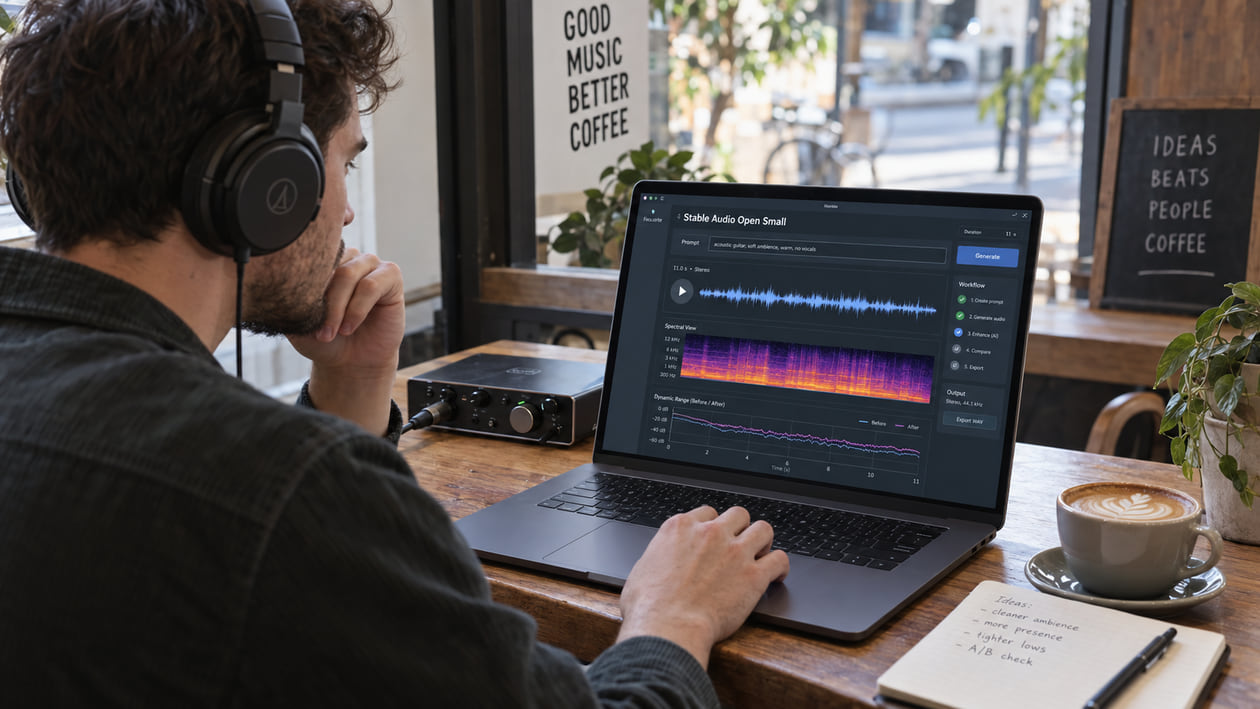
A short Stable Audio Open Small render can feel lively on first playback and still reveal problems when you loop it. A drum attack may sound rounded, a bright texture may turn grainy, or the bottom octave may consume headroom without adding useful weight. Hearing one of those symptoms does not prove that Stable Audio Open Small caused it. The prompt, seed, inference settings, later conversion, and any processing after generation can all change what reaches your speakers.
Start with the file you actually generated. Keep the original, mark the exact second that bothers you, and compare it at the same perceived loudness as any edited version. This simple discipline matters more than attaching a technical explanation to the sound too early.
Checked September 21, 2026. Stability AI says Stable Audio Open Small has 341 million parameters and targets short production elements, sound effects, drum loops, riffs, foley, and ambient textures. The official model card generates up to 11 seconds of 44.1 kHz stereo audio. The research paper attributes its speed to adversarial post-training and multiple optimizations, not to a documented quantized release checkpoint.
The short answer: inspect the render before mastering
Stable Audio Open Small is designed to trade model size and compute for fast local generation. That design does not give you permission to assume every render has flattened dynamics or missing air. Listen first. If the kick has less impact than the body of the loop, compare its peak and sustained level. If the top sounds brittle, check whether the texture moves with cymbals or remains as steady noise. If the bass feels unstable, compare headphones, small speakers, and mono playback before reaching for an EQ.
The manual path should stay narrow: fix a real click locally, filter only sub-rumble that steals headroom, and use dynamic control only where a harsh band appears. Cleanup belongs before mastering because a limiter can make low-level haze and rough tails more obvious. The cleanup-versus-mastering guide explains why a louder file can sound more finished while its artifacts become harder to ignore.
I listen to the unprocessed loop quietly before opening meters. At low volume, exaggerated bass and bright excitement lose some of their advantage, while an awkward attack or sandy tail often remains easy to spot. That first pass tells me whether I have a repair problem or simply a production choice I do not like.
Diagnose the Stable Audio Open Small render you actually have
Work from audible symptoms. Loop two or three seconds around the problem and make one note in plain language before changing anything.
- Soft or flattened attacks: A kick, clap, or pluck has body but no clear front edge. Compare it with a sustained pad in the same render. Peak normalization in the official example changes level, but a single soft attack still does not identify the model as the cause.
- Brittle upper texture: Hats, noise sweeps, or bright foley sound like a thin spray instead of a stable texture. Check whether the roughness follows the source or sits above everything as a separate layer.
- Moving haze: A low-level veil becomes louder during dense moments and falls away in gaps. Read AI music artifacts explained before treating every high-frequency cloud as the same defect.
- Midrange crowding: Several elements seem to occupy the same narrow area, so the loop feels loud but not clear. Soloing a frequency band can help locate it, but make the decision in the full mix.
- Low-end instability: Sub energy changes from hit to hit or makes the limiter work while remaining hard to hear. Check the file in mono and on smaller speakers; some low-end width disappears outside headphones.
- Edit discontinuity: A stitched or repeated section clicks at one boundary. Zoom into that exact join. A short crossfade can repair a waveform break, but it cannot repair an unwanted note or rhythm.
A spectrum analyzer shows energy by frequency. It cannot tell you whether that energy is musical, unwanted, or produced by the generator. A crest-factor meter compares peaks with average level and can help you describe transient contrast, but it is not a quality score. Use these tools to confirm what you hear, not to manufacture a problem.
Source preflight: model, runtime, format, and rights
Record the source before you process it: model repository, prompt, seed when available, inference steps, runtime, and any conversion after generation. Stable Audio Open Small can run through stable-audio-tools, an Arm-optimized path, a third-party interface, or your own wrapper. Those routes may not save identical files.
The official Hugging Face example uses eight inference steps, cfg_scale=1.0, and the pingpong sampler. It rearranges the generated channels, peak-normalizes the waveform, clips it to the valid range, converts it to 16-bit PCM WAV, and writes output.wav at 44.1 kHz stereo. That is a documented example, not a promise about every interface.
The official material does not document MP3, FLAC, separated stems, or a fixed VRAM requirement. Stability AI highlights Arm CPU deployment and reports that the optimized model can generate a short clip on a mobile edge device in about seven seconds, while its release post says less than eight seconds on a smartphone. Those are benchmark contexts, not guarantees for your laptop or phone.
The official material does not document a quantized official checkpoint. Community quantizations may exist, but their behavior belongs to those derivative files and runtimes. Do not describe the base model’s audible character as “quantization loss” unless you know that your exact checkpoint was quantized and can reproduce the difference against a suitable control.
Rights also need a fresh check. Stable Audio Open Small uses the Stability AI Community License. The license allows commercial use under conditions, including registration and a revenue threshold, and directs larger organizations to an enterprise license. Output ownership is still subject to applicable law, inputs, samples, trademarks, and third-party rights. Cleanup does not solve those questions.
Stable Audio Open vs Small dynamic-range comparison
Stable Audio Open vs Small Dynamic-Range Comparison
This is a measurement workflow, not a published benchmark claiming that Small always loses dynamics. Use the same prompt and comparable generation settings when possible, preserve both first-generation files, and compare more than one seed.
| Check | What to measure | What it can tell you | What it cannot prove |
|---|---|---|---|
| Peak-to-average contrast | Crest factor over the same transient passage | Whether one file has sharper peaks relative to its average level | That compact model size caused the difference |
| Short-term loudness | Loudness over the same one- to three-second event | Whether level is biasing your preference | Which model is objectively better |
| Attack shape | Waveform around a kick, clap, or pluck | Whether the transient rises cleanly or appears rounded | Whether mastering can recover missing source detail |
| Quiet-tail spectrum | Spectrum and spectrogram after the main event | Whether haze or ringing remains in one render | That every Small render contains the same artifact |
| High-frequency decay | Energy above roughly 12 kHz as the sound fades | Whether a bright tail closes early or becomes rough in this file | A universal high-frequency cutoff or “air loss” |
First level-match the two files. If one is louder, it will often feel brighter, fuller, and more detailed. Then compare short loops without looking at the filenames. Repeat the test across several seeds. If the result changes from seed to seed, write that down instead of forcing a model-wide conclusion.
I would not publish a “Full vs Small” loss curve from one pair of clips. It looks precise but mostly measures those two generations. A more honest graph shows the measured crest factor or short-term loudness of the files in the session and labels them as examples.
Restrained manual cleanup in your DAW
Duplicate the original WAV and keep the source muted but available for instant comparison. Preserve the original WAV before any conversion or normalization. Make one change at a time and bypass it often.
For sub-rumble, start a high-pass filter below the musical bass and raise it slowly while the full loop plays. A cutoff near 20–30 Hz can be a reasonable test, not a universal setting. Stop when the limiter relaxes or the meters settle; back off immediately if the kick loses weight.
For a narrow harsh band, use a dynamic EQ. This lowers the area only when it becomes aggressive instead of darkening the whole loop. The harsh-highs guide gives a beginner-friendly setup and a clear stop condition: if cymbals lose their shape or the ambience closes, the reduction is too broad or too deep.
For soft attacks, try a transient shaper in tiny amounts. Add attack while listening to the whole signal, not a soloed drum. Stop if clicks become exaggerated or the loop starts to sound separated into disconnected hits. An upward expander can add contrast, but it can also pull up haze between events and make tails pump.
For a real edit click, place a very short crossfade across the discontinuity. Do not spread a fade over the transient you want to preserve. If the join changes pitch, rhythm, or texture, regenerate or edit a wider region rather than hiding the musical problem under processing.
Compare at matched loudness after each change. If the processed version only wins because it is louder, you have not proved that it is cleaner. Leave headroom for mastering and avoid a limiter during diagnosis unless the limiter itself is the problem you are testing.
The Sunofix cleanup path for Stable Audio Open Small
I founded Sunofix for the stage where the musical idea already works but the exported full mix still carries distracting AI texture. The manual path comes first because a local click or a single resonant note may take seconds to fix in a DAW. Sunofix makes more sense when haze, metallic grain, or brittle movement travels through the loop and broad EQ would remove too much music.
Upload a lawful WAV or MP3 file, choose a restrained pass, and compare the cleaned result with the original at matched loudness. Listen to the attack, a dense moment, and the quietest tail. The useful result is not the brightest or loudest one. It is the version where the distracting layer falls back while the riff, ambience, timing, and energy still feel like the same piece.
The before-and-after spectrogram and frequency diagnostics can help you see where energy changed. They remain supporting evidence. If the graph looks smoother but the loop feels duller, keep the original or use a gentler pass.
Sunofix works on the mixed file. It does not separate stems, replace notes, change the prompt, rewrite an arrangement, or fix a bad generation choice. It also cannot restore samples already lost to clipping or codec reconstruction. When the problem is a wrong sound, unstable rhythm, or poor composition, regenerate or edit the source.
Technical and legal boundaries
Stable Audio Open Small is better documented as a compact latent diffusion model with adversarial post-training than as a quantized version of Stable Audio Open. The official paper describes ARC post-training, a contrastive discriminator objective, and performance optimizations. It does not publish a universal dynamic-range loss curve, a fixed reduction above 12 kHz, or an artifact profile that every render must share.
The model card says it performs better on sound effects and field recordings than on music, cannot generate realistic vocals, uses English training descriptions, and does not perform equally across all styles and cultures. Those limitations are more useful than invented precision. They help you decide whether to adjust the prompt, use the output as a production element, or choose another generator.
Audio cleanup improves an existing file. It does not grant legal clearance or guarantee distributor approval. Review the current Stability AI license, the terms of any interface or derivative checkpoint, and the rights attached to your prompt, samples, and intended release. Keep attribution or registration requirements where they apply.
Mastering still has a separate job: final tonal balance, loudness, sequencing, and delivery QC. Clean the distracting artifact first, then master the result. Do not use heavy limiting to hide a rough tail; it usually makes the tail more audible.
Stable Audio Open Small release checklist
- Confirm that the file really came from Stable Audio Open Small and note the runtime, prompt, seed, steps, and later conversions.
- Preserve the original WAV or the best original file your interface provides.
- Mark the exact second of each audible problem before opening processors.
- Compare transient and sustained sections at matched loudness.
- Check mono playback, small speakers, headphones, and a quiet listening level.
- Repair isolated clicks locally; do not process the whole loop for one boundary.
- Filter sub-rumble only when it steals headroom or triggers downstream processing.
- Use dynamic EQ or cleanup only where brittle texture or moving haze is audible.
- Stop when attacks, ambience, or high-frequency detail begin to disappear.
- Run Sunofix before mastering when the unwanted texture moves through the full mix.
- Compare the cleaned file with the untouched source and keep the version that preserves the musical idea.
- Recheck the current license, input rights, metadata, peaks, and delivery format before release.
The compact model’s speed is useful precisely because you can generate alternatives. If a problem belongs to the musical material, another prompt or seed may be the cleanest fix. If the piece works and only the exported texture distracts you, restrained cleanup can prepare a better source for mastering without pretending to recover information that was never in the file.
Continue listening
Related reading
FAQ
Stable Audio Open Small Audio Quality: Clean Compact-Model Artifacts FAQ
Does Stable Audio Open Small lose dynamic range because it is quantized?
The official model card and paper do not describe the released checkpoint as a quantized model or publish a universal dynamic-range penalty. Small refers to a compact 341 million parameter model shaped by adversarial post-training and other optimizations. Measure the render you have instead of treating quantization as the cause.
What file does the official Stable Audio Open Small example save?
The official Hugging Face example peak-normalizes the generated stereo signal, converts it to 16-bit PCM, and saves output.wav at the model's 44.1 kHz sample rate. It does not document MP3, FLAC, separated stems, or a universal 24-bit export path.
Can Sunofix clean Stable Audio Open Small renders?
Sunofix can process a lawful local WAV or MP3 file and may reduce full-mix haze, brittle high-frequency texture, or other audible AI artifacts. It cannot rewrite the prompt, restore missing samples, separate stems, or guarantee that a distributor will accept the result.
Should I add an expander to every Small render?
No. Use an expander only when a measured and audible lack of contrast calls for it. Expansion can exaggerate noise, tails, and pumping. First compare a transient section with a sustained section at matched loudness, then stop if the music becomes jumpy or the ambience starts breathing.