
MiniMax Music Audio Quality: Clean Vocal Clipping and Midrange Glare
A practical guide to finding clipped consonants, hard upper-midrange vocals, and rough phrase transitions in MiniMax Music exports before cleanup and mastering.
Clean my MiniMax export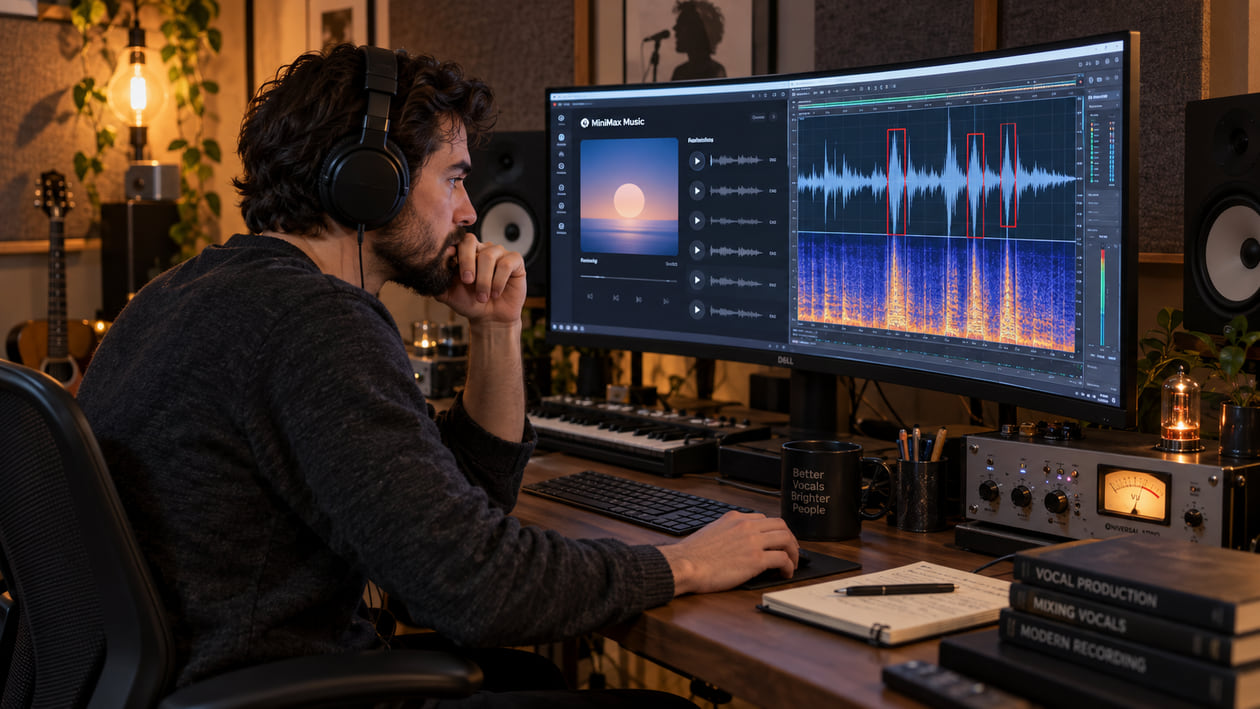
A MiniMax Music vocal can carry a convincing melody and still have one consonant that snaps too hard, one phrase join that briefly feels hollow, or a chorus that presses forward until it becomes tiring. Do not process the whole song because of one sharp syllable. Find the exact moment, decide whether it is clipping, tonal glare, an edit boundary, or a performance problem, and make the smallest useful change.
Checked September 20, 2026. MiniMax currently presents Music 3.0 as its latest music model, with complete songs up to five minutes and controls for lyrics, vocal delivery, arrangement, and section structure. The current API documentation shows Music 3.0 and Music 2.6 access, including a 44.1 kHz, 256 kbps MP3 example. Product capabilities and terms can change, so verify the web interface, API reference, and rights notice again before a commercial release.
The short answer: repair the audible moment, not the model
If a P, B, T, or K lands like a crack in the speaker, zoom in and inspect that syllable. A flat-topped waveform suggests digital clipping; a tall but rounded peak may simply be an energetic consonant. Reduce only the damaged instant by a few decibels, add a very short fade only when there is a discontinuity, and compare it with the untouched file.
Treat midrange glare the same way. A vocal can become hard and forward during a belt without needing a broad EQ cut across the whole track. Use a dynamic band that turns down only when the painful resonance appears, then stop as soon as the lyric is comfortable again. If the phrase itself is garbled or the note is wrong, regenerate or edit the source instead.
I usually begin with the busiest chorus because that is where vocal peaks, dense instruments, and limiting compete for the same space. It is a quick stress test, not proof that the generator caused every problem you hear.
Spot vocal defects in a MiniMax Music render
Listen once without watching meters. Mark every moment that makes you flinch or pulls attention away from the song. Then return to each marker and name the symptom before reaching for a tool.
Consonant transient clipping sounds like a click, crack, or flattened pop attached to the start of a word. Check whether the same defect is present on both channels and whether the waveform hits the ceiling. A compressor pumping after the consonant is a separate clue: the peak may be driving later processing even if it is not clipped in the source.
Phrasing transition trouble appears between lines or sections. You may hear a tiny dropout, a sudden change in room tone, or a phasey shift that makes the vocal step backward for a moment. Not every breath or pause is a defect. Compare the transition in headphones and speakers, and preserve intentional phrasing.
Upper-midrange glare is a hard, close sensation around the vocal that becomes tiring before it becomes obviously distorted. The exact frequency differs by singer, vowel, key, and arrangement. The 2.5–4.2 kHz region is a useful place to listen, not a preset to cut blindly. The broader harsh-highs guide explains how to distinguish a narrow vocal problem from brightness across the mix.
Synthetic vocal texture is different again. It may move with sustained vowels, harmonies, or reverb rather than a single consonant. If that is the main issue, use the AI vocal de-robotizer guide before assuming every hard edge is clipping.
Source preflight: model, file, and rights
Preserve the first downloaded file before conversion, normalization, or mastering. Record the model and interface you used, the download date, and any displayed format information. That gives you a clean reference when a later conversion introduces a click or changes the peak level.
The official Music 3.0 announcement says the model can produce a complete song from a concept and optional lyrics, with long-range structure and more natural vocals as design goals. Those are product claims, not a guarantee that every render is artifact-free. Hearing a click in one file does not prove that MiniMax caused the issue; the download, conversion, edit, or playback chain may also matter.
The current API example requests 44.1 kHz audio as a 256 kbps MP3. The text-to-music API documentation does not document WAV, FLAC, or separated-stem output. Reference audio for the cover workflow can accept common formats, but that input rule is not proof of the format returned by music generation. Do not convert an MP3 to WAV and call it lossless; the wrapper changes, but discarded detail does not return.
Rights require the same care. MiniMax’s Music Creation Terms say you must hold the necessary rights to lyrics, audio, voices, and other input material. They also allow identifiers or notices on output and require lawful use. A cleanup tool does not grant licensing rights or guarantee distributor approval. Save the terms that applied to your account and plan on the release date.
MiniMax consonant distortion vs smoothed transient
Use this compact waveform comparison as a decision map rather than a promise of repair.
| View | What you see | What you hear | Next action |
|---|---|---|---|
| Severe consonant spike | A narrow P or T peak reaches a flat ceiling | Crack or splat at the word opening | Regenerate when the data is visibly clipped; otherwise try a tiny gain move |
| Intact sharp transient | Tall, rounded peak with no flat top | Consonant jumps forward but stays recognizable | Reduce the syllable locally by about 2–4 dB |
| Smoothed transient | Rounded attack that still rises above the vowel | Clear word without the distracting snap | Stop; do not soften it further |
| Phrase-boundary discontinuity | Waveform or ambience changes abruptly between lines | Click, hollow step, or room-tone jump | Test a short crossfade only if a real boundary exists |
| Sustained glare | No single peak; upper mids stay strong through a belt | Vocal feels hard or tiring | Use a dynamic EQ band only during the glare |
The goal of MiniMax Consonant Distortion vs Smoothed Transient is not to draw a prettier waveform. It is to keep the word intelligible while removing the moment that distracts from it. If the P disappears or the singer sounds lisped, undo the move.
Restrained manual cleanup in your DAW
Work from a duplicate playlist or track so every edit is reversible.
- Preserve the first downloaded file. Import it without normalization and keep an untouched copy muted beside the working version.
- Mark the problem at normal listening level. Loop one line, then include a few seconds before and after it. A repair that works in a half-second loop can feel unnatural in the phrase.
- Automate only the damaged consonant. Start with a 2 dB reduction over the shortest useful region. Move toward 4 dB only if the snap remains and lyric clarity survives.
- Use dynamic EQ only when the glare appears. Sweep cautiously to locate the uncomfortable area, then let a narrow or medium band react during loud vowels rather than darkening the entire vocal.
- Use a short crossfade only at a real edit boundary. Around 5–10 ms can remove a discontinuity, but a larger tonal or ambience mismatch calls for source editing or regeneration.
- Level-match the result. Louder often seems clearer. Turn the processed version down until both versions feel equally loud, then choose the one that preserves the performance.
Avoid stacking de-clipping, de-essing, denoising, broad EQ, compression, and limiting just because each tool seems plausible. Every stage can shave away consonant definition or make ambience pump. One confirmed problem deserves one controlled move.
For a wider comparison with another generator, the Suno audio-quality workflow uses the same principle: diagnose the rendered file, protect the musical idea, and separate cleanup from mastering.
The Sunofix path for MiniMax vocals
I founded Sunofix for the stage where the song already works but the mixed export still has a synthetic edge, moving harshness, or texture that is difficult to chase with static EQ. Upload a lawful MP3 or WAV copy, keep the original beside it, and treat the result as an audition rather than an automatic upgrade.
Sunofix can reduce a distributed artifact through the mixed file and may make a hard vocal sit more comfortably without changing the lyrics, melody, arrangement, or composition. It is less suitable for one visibly clipped sample, a mispronounced word, a wrong note, or a phrase that needs a different performance. Fix those at the source when you can.
I listen first for the emotional center of the chorus. If cleanup makes the singer smoother but also smaller, duller, or less urgent, I keep the original or use a lighter version. Preservation is the success criterion, not maximum processing.
Make the final comparison at matched loudness on headphones, studio monitors, and one ordinary speaker. Check the consonant in context, the vocal brightness, cymbals, reverb tails, and stereo image. Only then move to mastering.
Realistic technical and licensing limits
Cleanup cannot restore samples already lost to clipping. A de-clip tool can estimate a rounded shape, but it cannot know the original waveform. The same limit applies to details removed by lossy encoding.
Sunofix also cannot re-pronounce garbled lyrics, correct an unintended melody, rebuild missing harmonies, or make an awkward transition musically convincing. Regeneration, comping, or a source edit is the honest path for those problems.
Do not treat a frequency range as a diagnosis. A cut near 3.4 kHz can help one belt and damage another. Measure the exact phrase, automate the correction, and bypass it often.
Finally, audio cleanup and mastering do not settle rights. Confirm that you may use the lyrics, reference audio, voices, and final output under the terms attached to your plan and territory. Keep records. Neither this guide nor Sunofix provides legal clearance.
MiniMax Music release checklist
- Save the original MiniMax download and note the model, date, and format shown.
- Inspect the busiest chorus and every marked consonant for a real flat-topped peak.
- Compare phrase transitions in headphones and speakers before adding crossfades.
- Tame only confirmed upper-mid glare; do not apply a permanent 3.4 kHz notch by habit.
- Run a restrained Sunofix comparison only when the artifact moves through the mixed export.
- Level-match the result and confirm that lyrics, vocal bite, emotion, instruments, and ambience remain intact.
- Master after cleanup, then recheck peaks, glare, and transitions in the mastered file.
- Review current MiniMax terms, input rights, output notices, and distributor requirements before release.
A finished track does not need to look perfectly smooth. It needs to let the listener follow the song without being pulled toward a broken consonant, a hard vocal edge, or an audible join. Once those distractions are gone and the performance still feels alive, stop.
FAQ
MiniMax Music Audio Quality: Clean Vocal Clipping and Midrange Glare FAQ
Why do some consonants sound clipped in my MiniMax Music vocal?
First confirm that the waveform actually reaches a flat ceiling at that syllable. A hard P, B, T, or K can also sound aggressive without being digitally clipped. If the peak is intact, try a tiny level move or dynamic EQ; if samples are already flattened, regeneration is safer than pretending cleanup can rebuild them.
Can Sunofix reduce harshness in a MiniMax chorus?
Sunofix can be useful when a moving synthetic edge or upper-midrange glare travels through the mixed export. Compare at matched loudness and keep the original if cleanup weakens lyric clarity, vocal bite, or the emotion of the chorus.
How does MiniMax Music compare with Suno audio quality?
Both systems change over time, and one export does not establish a universal winner. Compare the same practical points in each file: consonant peaks, lyric clarity, section transitions, cymbals, ambience, and how the busiest chorus holds together.
Should I master a MiniMax track before cleaning it?
Diagnose and correct distracting artifacts first. Limiting can make clipped consonants and glare more obvious, so create a clean release candidate, then master it and compare again at matched loudness.