
DiffRhythm+ Audio Quality: Clean Metallic Sheen and Check Stereo Coherence
A practical DiffRhythm+ cleanup workflow for checking metallic vocal sheen, stereo coherence, resonances, low-end stability, and matched-loudness results before mastering.
Clean my DiffRhythm+ render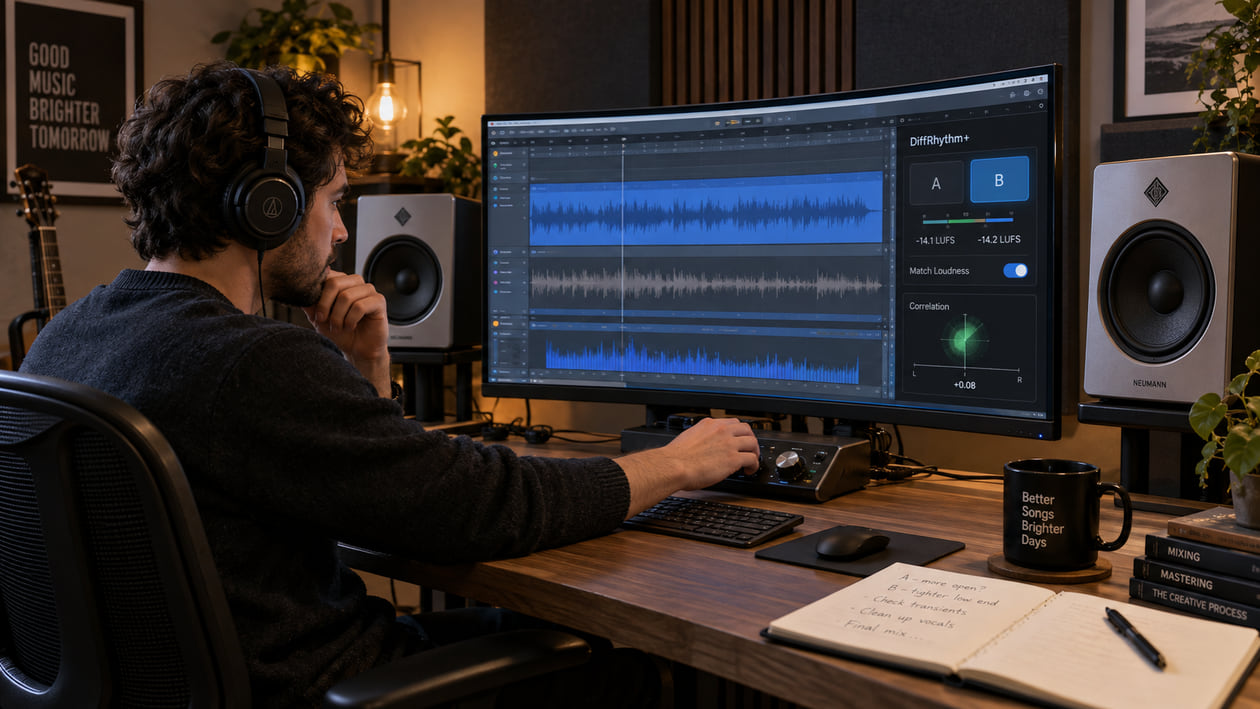
A DiffRhythm+ render can sound more natural and controlled than an earlier generation while still carrying one distracting layer: a glassy edge on a held vowel, a cymbal tail that turns into spray, or a wide chorus that loses focus in mono. Those are useful listening notes. They are not proof that every DiffRhythm+ song has the same defect or that the model caused the sound.
Keep the first file untouched. Choose one exposed vocal line, the busiest chorus, and the final decay, then compare every change at matched loudness. Repair an isolated click or resonance locally. Use broader cleanup only when the unwanted texture moves through several sources and sections. That order gives you a cleaner source for mastering without sanding away the song.
Checked September 21, 2026. The official paper describes DiffRhythm+ as an enhanced diffusion framework with expanded balanced training data, multimodal style conditioning from text or reference audio, and Direct Preference Optimization aligned with aesthetic scores. It reports gains over the original DiffRhythm in intelligibility, naturalness, arrangement complexity, and listener preference. It does not claim that every render is free from metallic texture, and it does not report a stereo-correlation benchmark.
The short answer: optimize the DiffRhythm+ render you actually have
Start by naming what you hear. “The model sounds bad” is too broad to guide a repair. “The last half of this vowel has a thin metallic halo” gives you a timestamp, a comparison point, and a stop condition.
Listen quietly before opening an analyzer. A harsh edge that still jumps forward at low monitoring level deserves attention. A bright texture that looks busy on a spectrogram but feels natural in the song may not need processing at all. If you are unsure whether you hear hiss, shimmer, clipping, or smeared reverb, use AI music artifacts explained to separate those symptoms.
I usually start with the transition into the loudest chorus, then replay one exposed line at the same monitor setting. The chorus reveals whether the texture survives a dense arrangement. The exposed line shows whether the vocal edge belongs to the performance or floats around it as an unwanted layer.
Do not master first. A limiter can raise quiet grit, make a resonant vowel more tiring, and exaggerate side-channel spray. Stabilize the source, then decide how loud or bright the final master should be.
Diagnose audible defects before naming their cause
Use short loops and plain language. The goal is to describe a repeatable symptom before adding a processor.
- Metallic vocal sheen: A long vowel develops a glassy or ringing layer that remains after the pitch feels stable. Compare the start and end of the same note. If the edge appears only after your exciter, saturator, or limiter, fix that stage rather than the generated source.
- High-frequency grit or haze: Fricatives, hats, and reverb may blur into a sandy layer. Compare the untouched render with every later conversion. A lossy delivery copy can create a different problem from the original file.
- Midrange resonance: One word, synth note, or guitar-like layer pushes forward and causes fatigue. Check whether the same frequency remains offensive in other sections before applying full-song EQ.
- Low-end instability: Kick or bass weight changes when you switch to mono. This can come from width, phase, reverb, an edit, or the source itself. Do not remove all sub energy simply because a meter shows activity below 30 Hz.
- Stereo blur: High-frequency percussion spreads or pulls sideways while the vocal center becomes vague. Compare the sides, mono sum, and an ordinary speaker. Width by itself is not a defect.
- Edit discontinuity: A click or ambience jump occurs at one section boundary. That calls for a local fade, crossfade, or source edit, not a cleanup pass across the whole song.
- Wrong lyric, note, or phrase: Return this to generation or editing. Cleanup can reduce texture; it cannot replace a musical decision.
A spectrogram, vectorscope, and correlation meter help you return to the same moment. They do not identify the generator, prove a watermark, or decide whether a wide mix is musically wrong.
Source preflight: model, release status, format, and rights
Write down the exact interface, date, prompt, lyrics, reference audio, duration, seed if available, and every setting exposed by the tool. Save a screenshot or manifest beside the original render. A third-party interface may use a different checkpoint, decoder, default loudness, or post-processing chain while still displaying the DiffRhythm name.
The DiffRhythm+ paper describes a roughly 1.1 billion parameter system that reuses the original DiffRhythm VAE. Its conditional diffusion path uses 32 steps and a CFG scale of 4 in the reported experiments. Style can be supplied through text or reference audio, and the preference stage selects win-lose pairs with automated aesthetic metrics before DPO training.
Those details explain the research system. They do not diagnose a whistle at 9 kHz in your file. The paper reports model-level listening and evaluation results, not a universal defect map for individual exports.
The official DiffRhythm repository links to the DiffRhythm+ paper and demo, but its model table does not list dedicated DiffRhythm+ weights. It lists original DiffRhythm releases instead. As of this check, the public materials also do not document WAV, MP3, FLAC, or separated-stem output for DiffRhythm+. Treat the actual file from your interface as the source of truth: inspect its codec, sample rate, channel count, duration, peaks, and any signs of prior lossy encoding.
Do not confuse DiffRhythm+ with DiffRhythm 2. DiffRhythm+ extends the original diffusion approach with broader data, cross-modal style control, and preference optimization. DiffRhythm 2 is a separate later design built around semi-autoregressive block flow matching and its own release path. The comparison matters because instructions and output behavior for one cannot be assumed for the other.
The repository states that original DiffRhythm code and DiT weights use Apache 2.0. The DiffRhythm+ paper and project page do not turn that statement into automatic permission for every lyric, reference recording, voice, sample, style, output, or third-party interface. Keep a dated copy of the terms that apply to the exact tool you used and review the rights in every input.
DiffRhythm vs DiffRhythm+ stereo phase coherence
DiffRhythm vs DiffRhythm+ Stereo Phase Coherence
The official evaluation reports better quality, intelligibility, and preference scores for DiffRhythm+, but it does not publish a fixed stereo-coherence index or an isolated 8-12 kHz phase result. Use the table below as a measurement protocol for your own paired renders, not as a claim that one model always produces a particular correlation value.
| Checkpoint | What to compare | Useful evidence | Smallest useful action | Stop when |
|---|---|---|---|---|
| Exposed vocal vowel | Same lyric, style, and section in each render | Center image, side energy, audible metallic tail | Dynamic EQ or short automation only while the sheen appears | The vowel stays clear and the glassy layer stops pulling attention |
| Cymbal or hat tail | 8-12 kHz sides, mono sum, and correlation movement | Repeatable loss or comb-like change in mono | Reduce only the unstable side band or return to the source | The tail remains open without swaying or turning dull |
| Dense chorus | Verse and chorus at equal loudness | Vocal anchor, transient focus, low-end weight | Narrow excessive width or rebalance the source if possible | The chorus keeps its lift and the center stays readable |
| Bass sustain | Stereo playback against mono | Level loss, hollow tone, or wandering low end | Reduce low-frequency side information cautiously | The bass survives mono without shrinking in stereo |
| Full A/B | Untouched and processed render | Blind preference at matched loudness | Keep or remove the cleanup decision | The processed version wins for clarity, not loudness |
To make the comparison fair, render both versions through the same monitoring and playback chain. Align the files to the same musical event. Level-match the A/B within 0.3 LU, because even a small loudness difference can make the louder version seem clearer and wider.
Correlation near +1 means the channels are very similar; it does not automatically mean the mix is good. A wide chorus can be healthy while correlation moves lower. The warning sign is a repeatable musical loss in mono, such as a bass note collapsing or a cymbal turning hollow. Listen first, then use the meter to confirm where it happens.
If you only have one DiffRhythm+ render, compare sections inside that file: verse against chorus, exposed vocal against dense arrangement, and centered low end against wide ambience. Do not invent a DiffRhythm baseline by comparing unrelated songs.
Restrained manual cleanup in your DAW
Duplicate the working file and disable final limiting while you diagnose. Add markers at an exposed vowel, busiest chorus, lowest bass note, loudest transient, final tail, and every edit boundary. Make one reversible change at a time.
For a metallic vowel, begin with clip gain or short automation if the problem is local. If the sheen repeats, try a dynamic EQ: it lowers a narrow range only when that range becomes aggressive. Sweep briefly to find the offending area, return the gain to zero, then add the smallest dynamic reduction that survives a blind bypass. The harsh-highs guide explains why a broad static cut can remove useful air along with the artifact.
For high-frequency side spray, compare stereo and mono before using Mid/Side processing. If the problem exists mainly in the sides, a narrow dynamic reduction there may stabilize the tail. Keep bypassing it. Stop immediately if the room becomes flat, the hats lose motion, or the chorus narrows more than the distraction requires.
For sub-rumble, check whether the energy is actually inaudible, consumes headroom, or triggers compression. Raise a high-pass filter slowly while the full mix plays. Back down as soon as kick weight, bass sustain, or warmth changes. A graph below 30 Hz is not, by itself, a reason to filter.
For one resonance, automate one small cut around the phrase rather than applying it to the full song. For a click, use the shortest fade that removes the discontinuity. If two sections disagree in timing, pitch, ambience, or performance, regenerate or revise the edit rather than smearing the join with a long crossfade.
I finish a manual pass by bypassing every processor and then enabling each one separately. That catches the common case where three “subtle” fixes combine into a smaller, duller mix.
The Sunofix cleanup path for DiffRhythm+ audio
Manual repair is usually best for one vowel, one resonance, one click, or one stereo boundary. Broader cleanup becomes useful when an unwanted synthetic texture travels through vocals, cymbals, synths, and ambience across several sections. Repeated static cuts can remove more music than the moving artifact.
I founded Sunofix for this stage: the song, lyrics, arrangement, and performance already work, but the finished file still carries an artificial edge before mastering. Upload a lawful WAV or MP3, begin conservatively, and compare the same vowel, chorus, and tail with the untouched render at matched loudness.
Sunofix aims to reduce audible artifact texture while preserving melody, lyrics, arrangement, energy, transients, and emotion. It does not read DiffRhythm+ latents, revise style conditioning, change DPO behavior, or reconstruct true stems. It cannot repair lyrics, melody, arrangement, or performance, and it cannot recover information already removed by clipping or lossy encoding.
Check the result on headphones, a normal speaker, and mono. If the vocal stays present, the cymbals keep air, the bass survives the fold-down, and the unwanted sheen draws less attention, you have a cleaner source for mastering. If the result feels smoother only because it is louder, correct the level and compare again.
Artifact cleanup should happen before final mastering. Cleanup addresses unwanted source texture. Mastering sets the final tonal balance, dynamics, sequencing, and delivery level. A limiter cannot recover detail removed by an earlier overcorrection.
Technical and legal boundaries
DiffRhythm+ is a research model with reported aggregate improvements. Those results do not guarantee a defect-free render, prove that a metallic vowel comes from diffusion, or establish a fixed frequency range for cleanup. The same symptom can come from generation, decoding, conversion, widening, saturation, limiting, an edit, or playback.
Do not promise that cleanup will make a track pass a distributor’s review. Sunofix does not remove watermarks, help evade detection systems, certify ownership, or make an unauthorized voice or reference recording lawful. Audio cleanup does not grant legal clearance or guarantee distributor approval.
Keep the untouched render, prompt, lyrics, reference audio, interface name, model claim, settings, license snapshot, edit session, cleaned source, and final master as separate files. That record makes your technical comparison repeatable and gives you a clearer rights trail.
Some breath, distortion, width, and unstable ambience may be intentional. The goal is not a perfectly vertical vectorscope or an empty spectrogram. Stop when the distracting layer recedes and the musical identity remains.
DiffRhythm+ audio release checklist
- Preserve the untouched render before conversion, editing, cleanup, or mastering.
- Record the exact interface and model claim, plus the date, prompt, lyrics, reference audio, duration, seed, and exposed settings.
- Inspect the actual source file for codec, sample rate, channels, clipping, and prior lossy conversion.
- Mark an exposed vocal vowel, busiest chorus, lowest bass note, loudest transient, final tail, and every edit boundary.
- Name the audible symptom before assigning a model-level explanation.
- Compare stereo and mono on the same timestamps and note any real musical loss.
- Repair one vowel, resonance, click, or boundary locally before processing the full mix.
- Use dynamic EQ only while the metallic edge is present and stop before the vocal loses air.
- Treat side-channel spray cautiously and keep the center, bass, and intentional width intact.
- Run a conservative Sunofix pass only when the unwanted texture moves through several sources or sections.
- Level-match the A/B within 0.3 LU and compare on headphones, a normal speaker, and mono.
- Stop when clarity, punch, breath, bass weight, width, or emotion begins to shrink.
- Master only after the cleanup decision is stable, then archive each stage separately.
The render is ready for the next stage when the vocal remains anchored, the chorus keeps its lift, the bass survives mono, and the metallic layer no longer asks for attention. If the processed version looks tidier but sounds smaller, return to the original. The song matters more than the meter.
Continue listening
Related reading
FAQ
DiffRhythm+ Audio Quality: Clean Metallic Sheen and Check Stereo Coherence FAQ
What causes digital artifacts in a DiffRhythm+ song?
A metallic vowel, splashy cymbal, unstable bass note, or phasey reverb can come from generation, decoding, a later encode, widening, limiting, an edit, or playback. The DiffRhythm+ architecture does not identify the cause in your file. Compare the untouched render at the same timestamp before choosing a repair.
Does DiffRhythm+ export WAV, MP3, FLAC, or separate stems?
The current official paper and project page do not document a standard user export workflow for WAV, MP3, FLAC, or separated stems. Inspect the file produced by the exact demo, interface, or implementation you used, and preserve it before conversion.
Is DiffRhythm+ the same as DiffRhythm 2?
No. DiffRhythm+ is the enhanced DiffRhythm framework described with multimodal style conditioning, balanced data, and preference optimization. DiffRhythm 2 is a later, separate system based on semi-autoregressive block flow matching. Record the exact model and interface instead of treating the names as interchangeable.
Can Sunofix clean metallic sheen in a DiffRhythm+ render?
Sunofix can process a lawful WAV or MP3 when an unwanted synthetic texture moves through a finished mix. It cannot correct a wrong lyric, note, arrangement, or performance, create true stems, or restore samples already lost to clipping or lossy encoding.